How to use CSS selectors on AtlasVoice plugin?
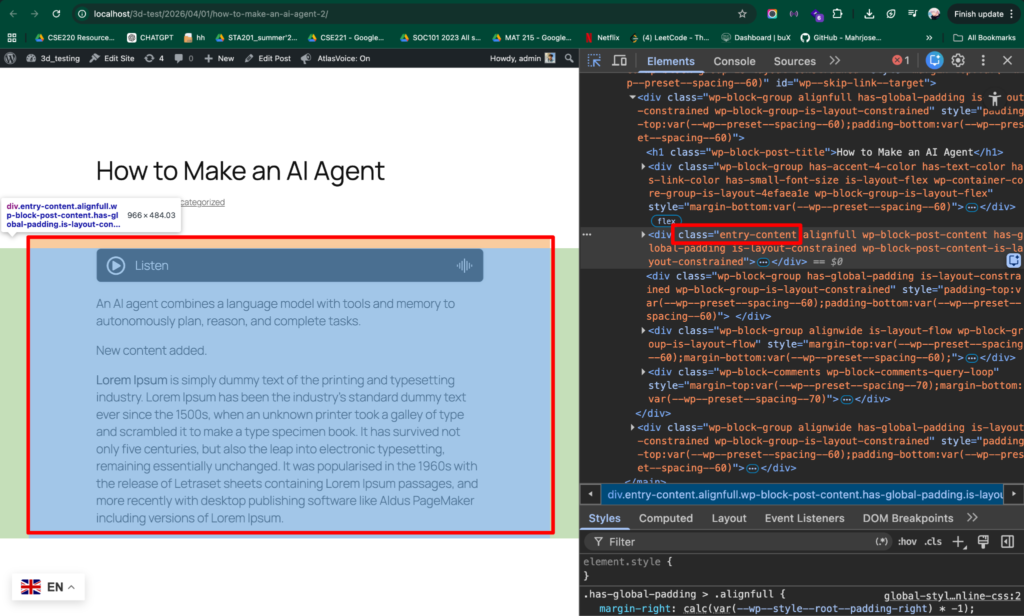
First go to your posts/pages and inspect the block content where your actual text content starts.
The text content starts in a class called “entry-content”. Copy the class name.
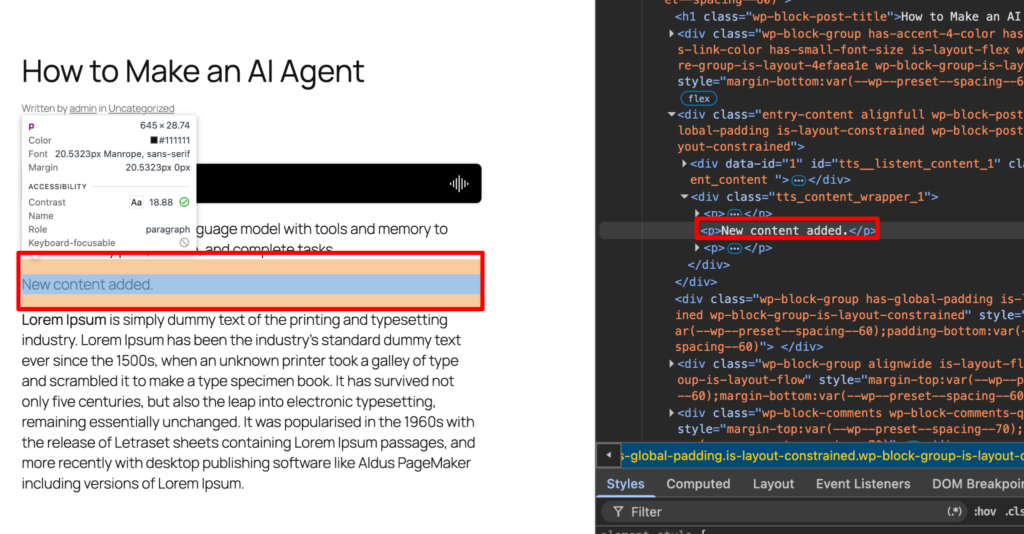
Now, select which part of the content you want to exclude to read. As an example here we have shown that we don’t want the second paragraph to be read.
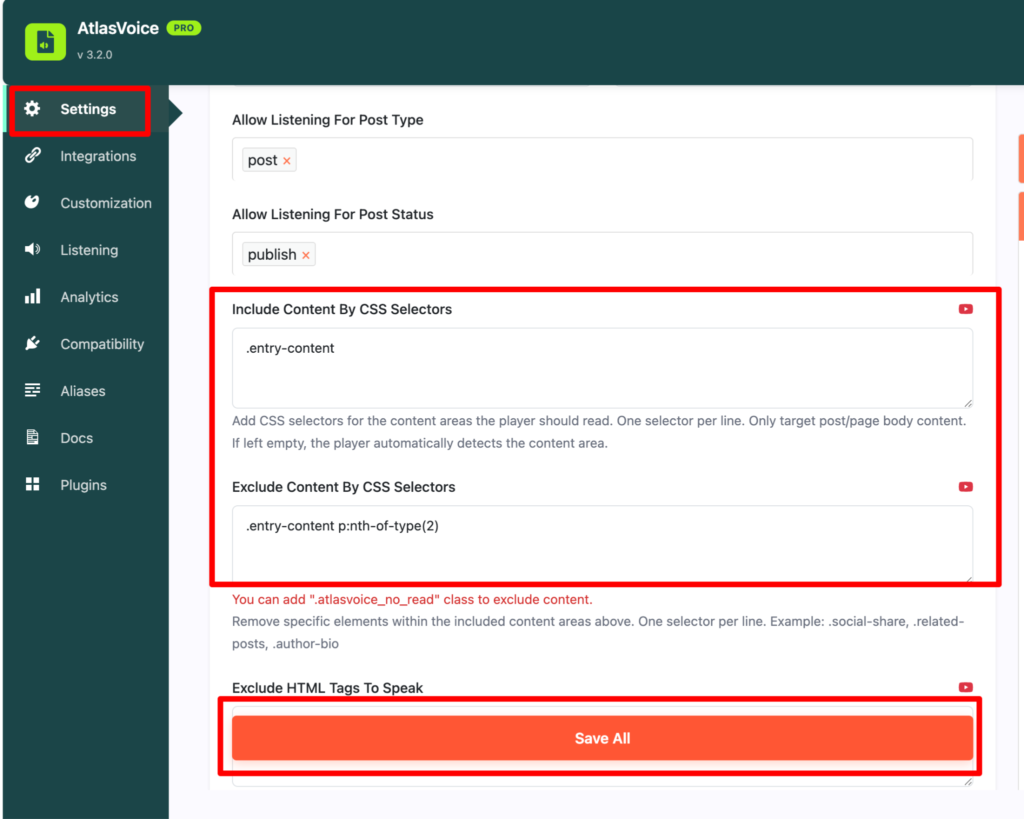
Then come to the settings tab from the admin dashboard and scroll down to “Include content by css selectors” and “Exclude content by css selectors” options.
Please make sure you paste the block content class name and paste it into the “Include content by css selectors” input field.
Remember, if the block content is class then you have to put a dot “.” before the class name. Also if the block content is ID then you have to put hash “#” before the ID name.
Now look carefully, we are trying to exclude the second paragraph of the content. So you have to the class name “.entry-content p:nth-of-p(2)”. This is how the player won’t read the second paragraph from the content. Similarly if you want to exclude the third paragraph then simply put “.entry-content p:nth-of-p(3)”. Then press the save button.
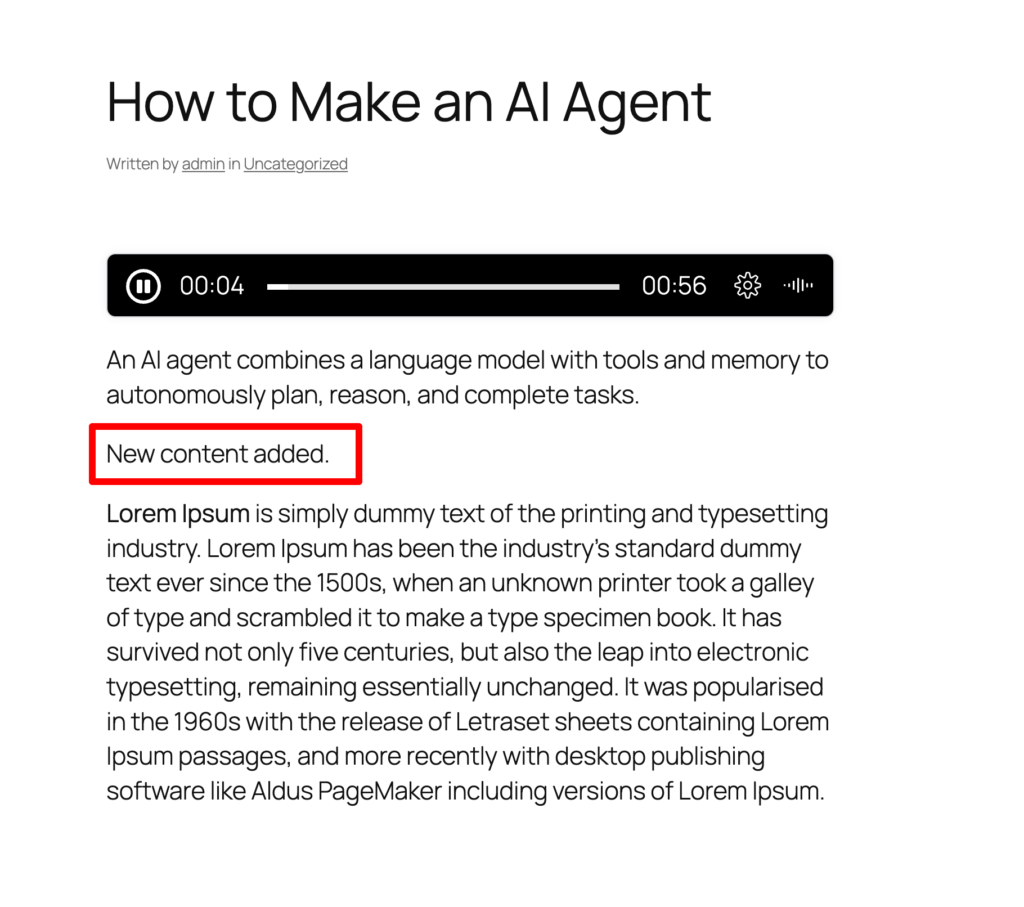
After saving, come to the front end and see the result where you will see the player is not reading the second paragraph as we excluded it by using CSS selectors.