
How to exclude content by CSS selectors for speech conversion within a wrapper element?
This documentation outlines the steps to exclude content by CSS selectors for speech conversion within a wrapper element using Text to Speech Pro.
Configuring CSS Selector
Follow these steps to exclude content by CSS selectors in Text to Speech Pro settings:
1. Access Text To Speech Settings:
● Navigate to Text To Speech in the WordPress sidebar.
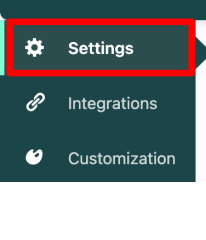
2. Navigate to Settings:
● Click on “Settings.”
3. Exclude Content By CSS Selectors:
● Locate “Exclude Content By CSS Selectors” in the settings.
4. Enter CSS Selector:
● Write your CSS selector(s), such as .class-content, each on a new line.
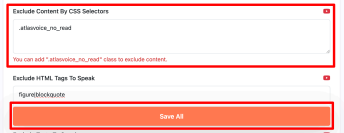
5. Save Changes:
● Click “Save All” to save your settings.
By following these steps and configuring the CSS selectors in Text to Speech Pro settings, you can effectively exclude specific content within a wrapper element from speech conversion. This feature enhances customization options and ensures a tailored speech output experience.