How to integrate ElevenLabs TTS into AtlasVoice Pro?
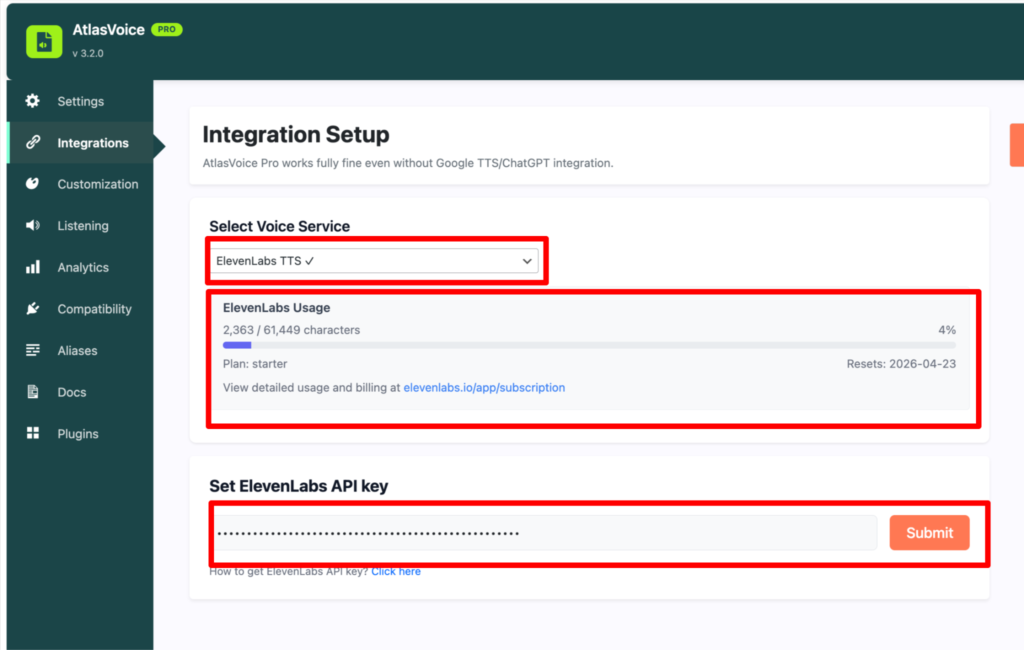
First, go to the “Integrations” tab from the admin dashboard.
Then choose the voice service as “ElevenLabs TTS”. Here you can see your ElevenLabs usage like how many characters generated and when it resets. To use the ElevenLabs TTS properly you have to get an API key from ElevenLabs website and paste the API key on the input field and Submit.
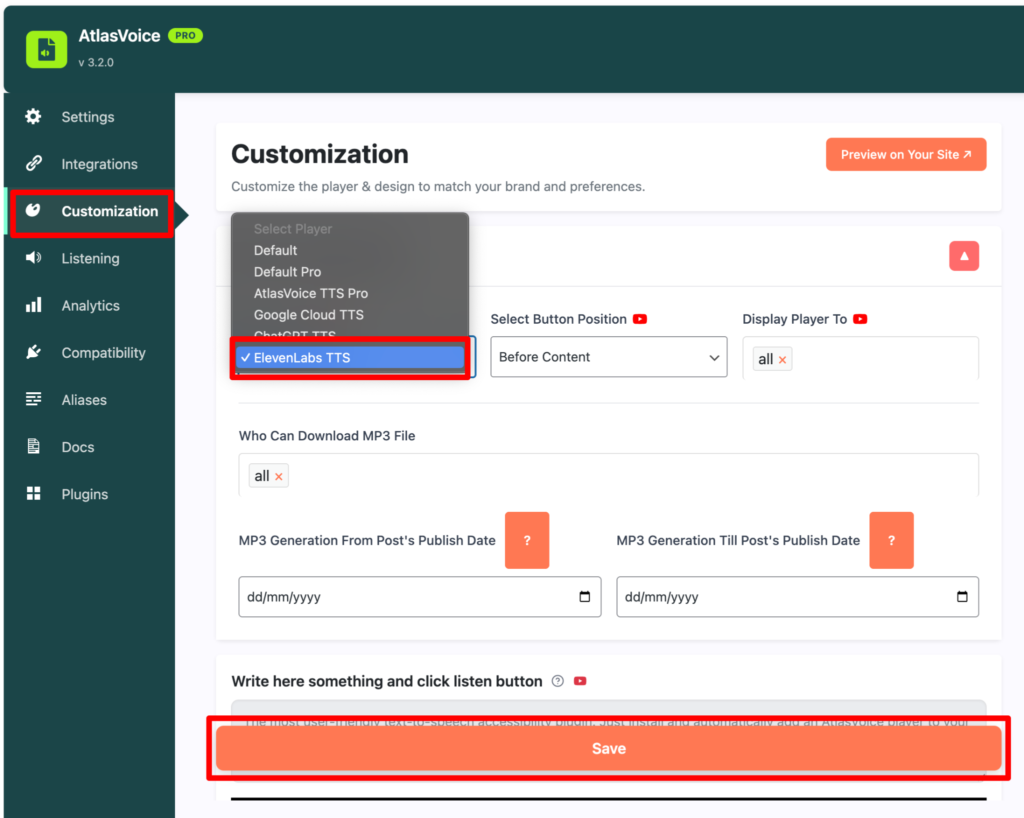
After submitting the API key go to Customization tab and select the player as “ElevenLabs TTS” and press the save button.
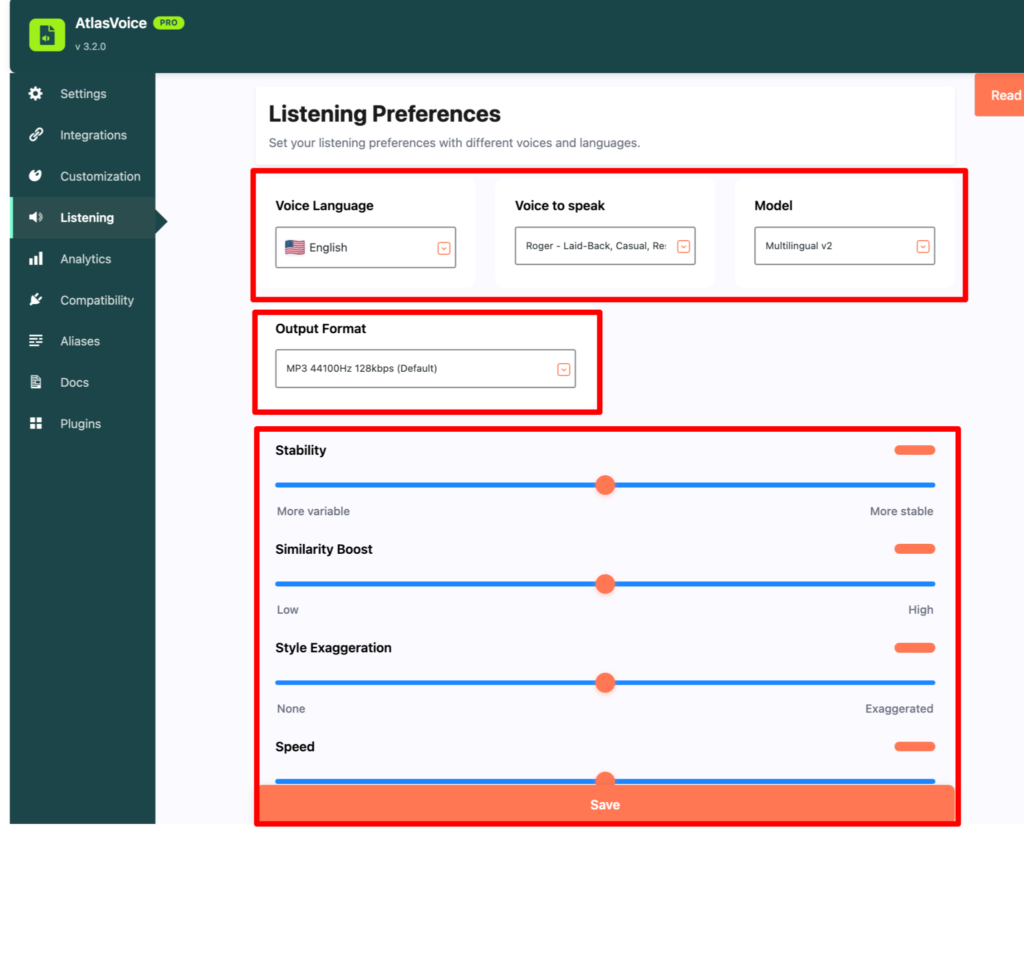
Lastly, come to the LIstening tab to set all the listening preferences. Here you can change the voice language,voice to speak, model and output format. Also here you can adjust the stability, similarity boost, style exaggeration, speed. Then press the save button.
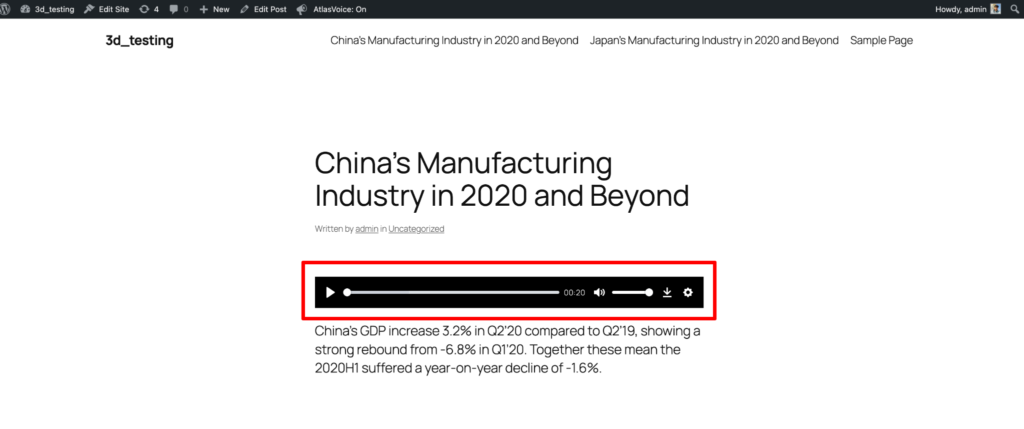
After saving you will see you can adjust the player on the frontend however you want as ElevenLabs format.