How to show Analytics in AtlasVoice Pro?
First come to the Analytics tab from the admin dashboard. Initially the analytics will be turned off. So first upgrade to the pro version.
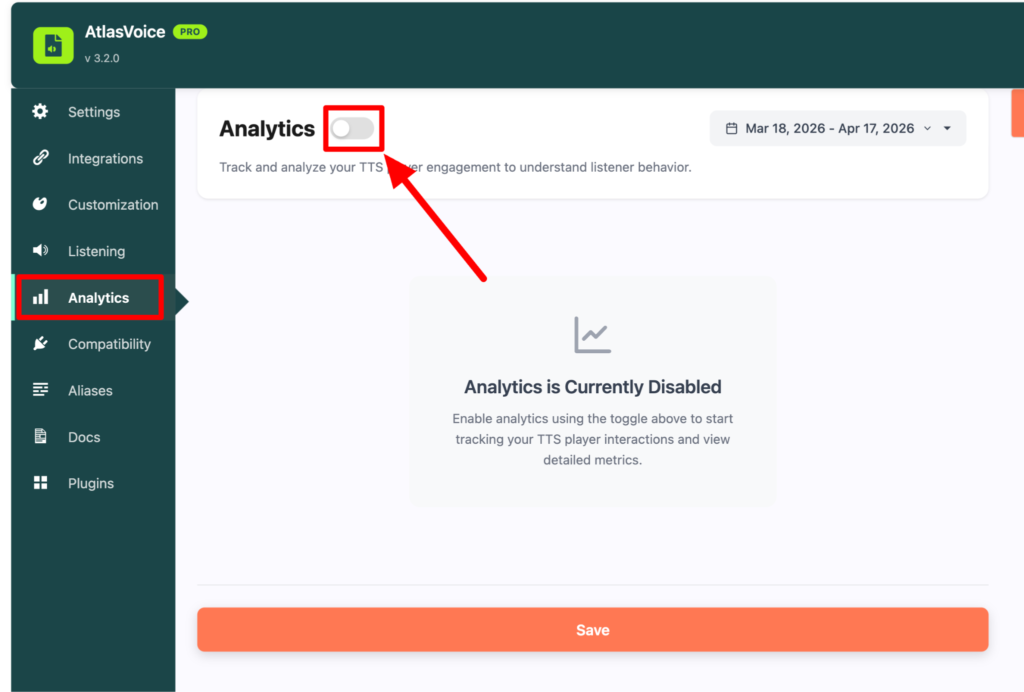
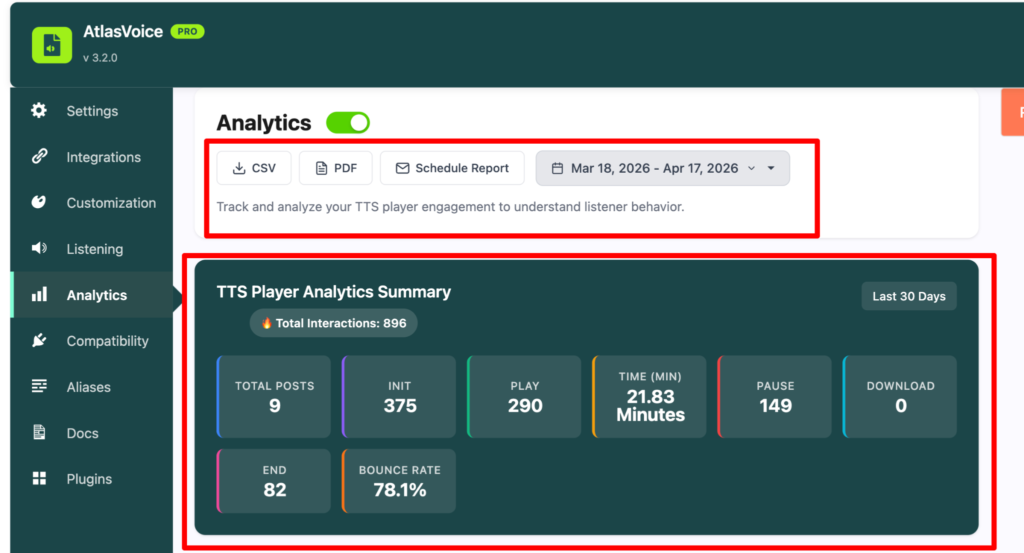
After upgrading, turn on the Analytics button. Now you will see some options to download your analytics report such as in csv, pdf etc format. Here you can also see the data according to the date filter. Below there is a TTS player analytics summary according date wise.
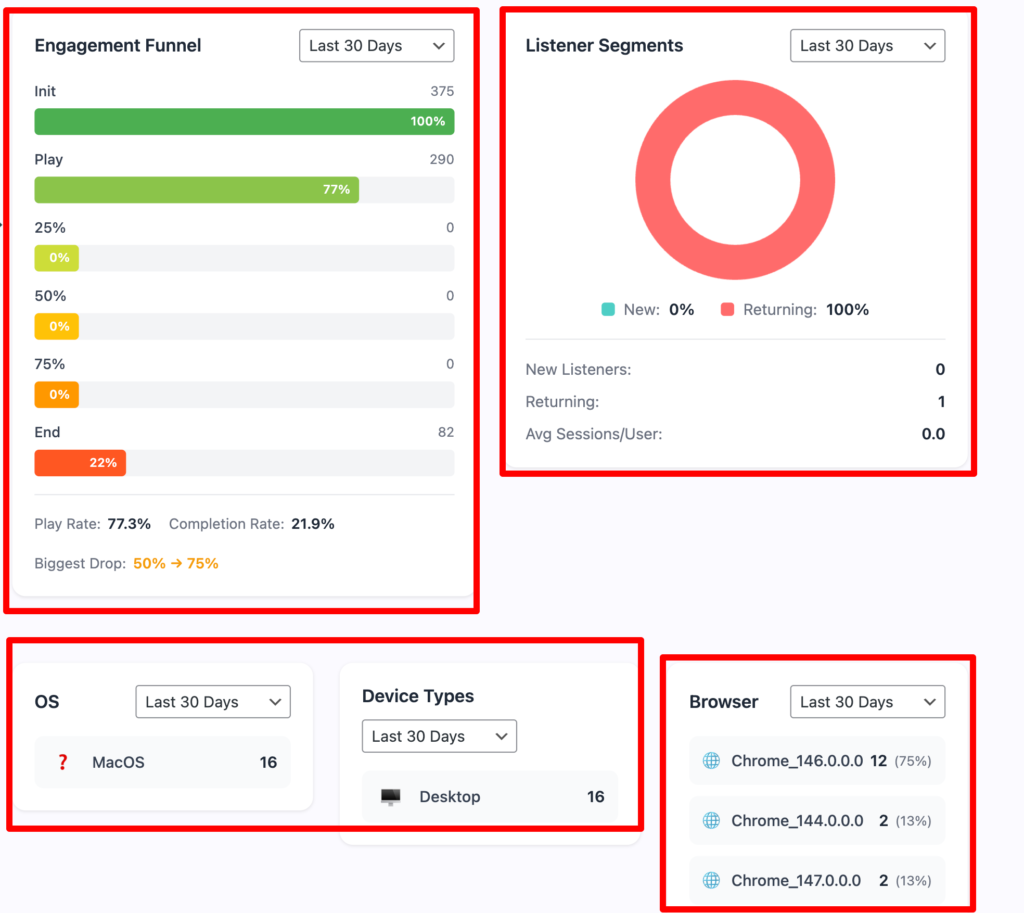
After some scrolling down you will see the Engagement funnel, Listener segments.
Also you will see the device you are using the player from and its type and browser according to the date.
There is a history of top countries and top cities with the playing trend analysis.
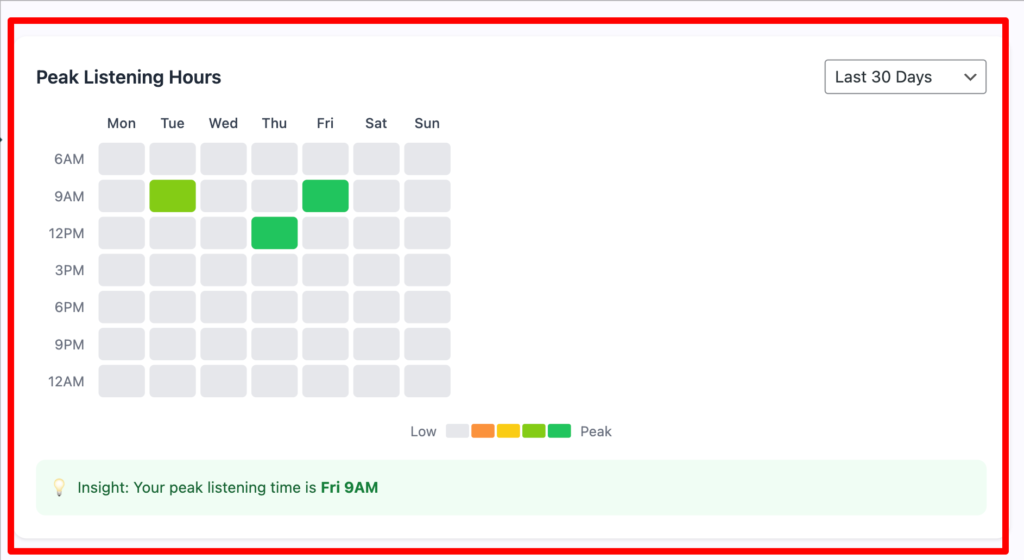
It also tracks the peak listening hours in the analytics dashboard.
How to actually get the post/pages analytics history?
First go to edit posts and copy the post ID. And go back to the analytics tab.
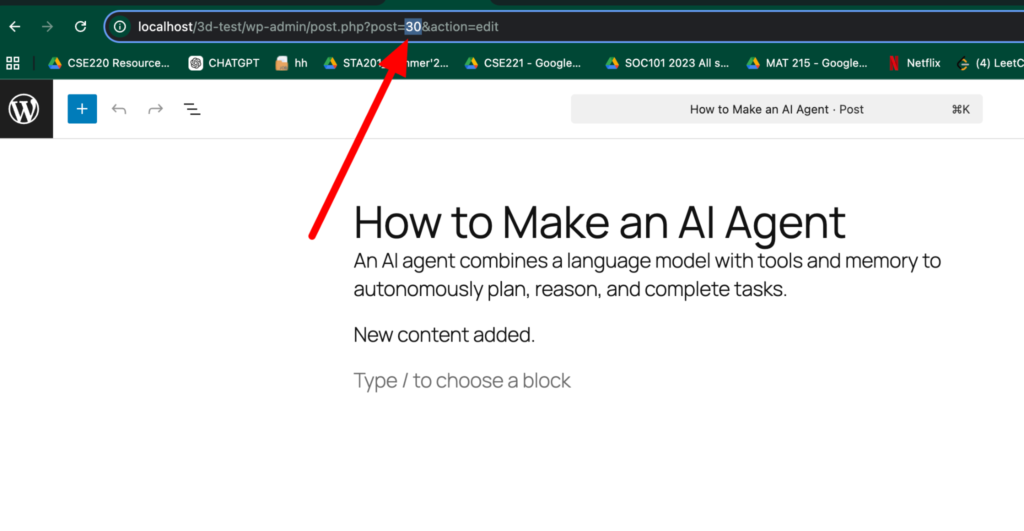
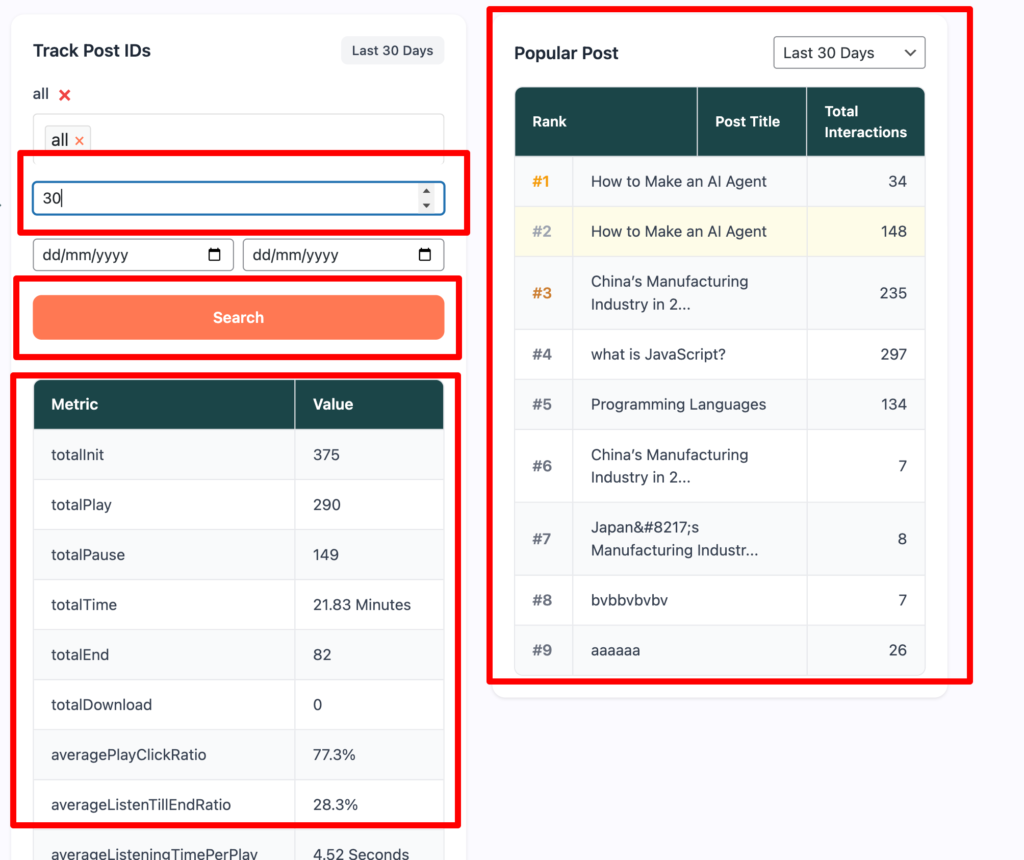
Then paste your post ID to get all the analytics history. Here are the matrices and the values of the post has been shown. You can also customize the date here and see the popular posts according to its date.