How to customize the AtlasVoice Plugin Player with Custom CSS?
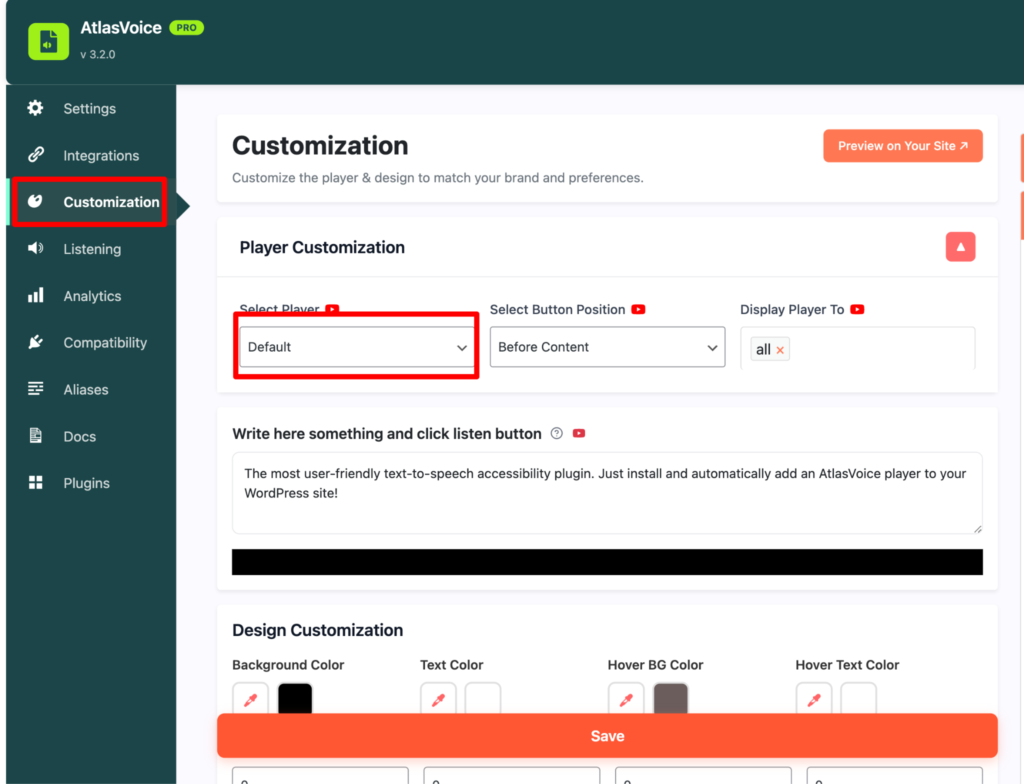
First go to the customization tab from the admin dashboard and select the player “Default’. Here whether you select the player “Default” or others it works the same for each player.
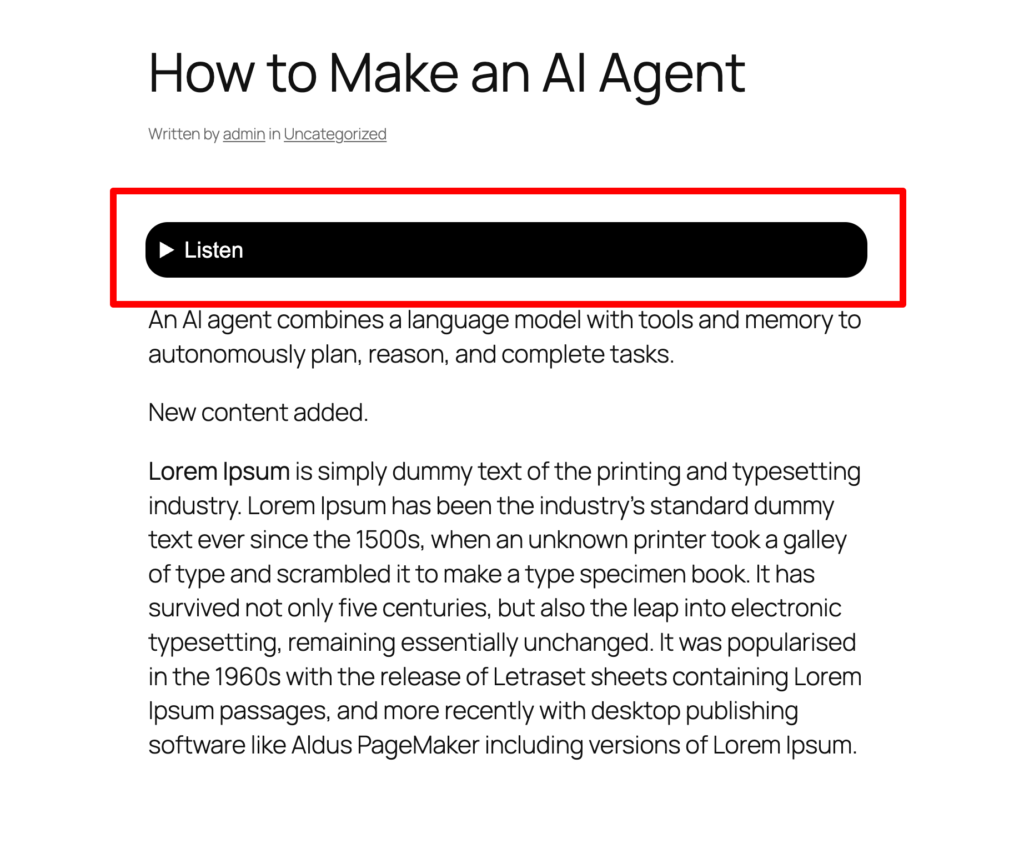
As you can see the initial styling of the player button is not to the point and the user experience would be worse. So how to fix this?
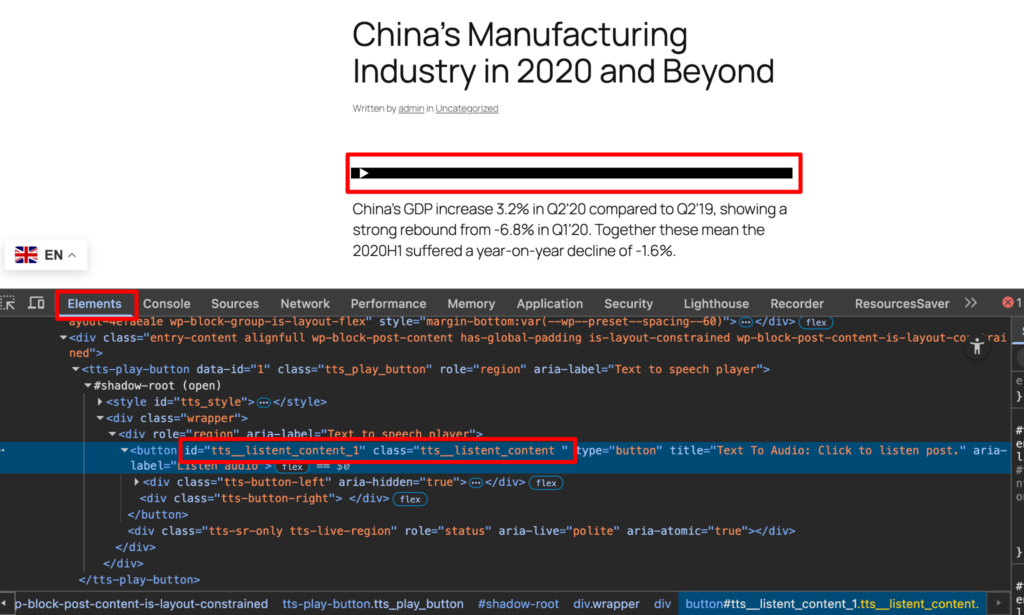
First inspect the elements of the content and its tag. Here the player button has an ID and a class. Please make sure you copy both ID and class to add custom css for the player button.
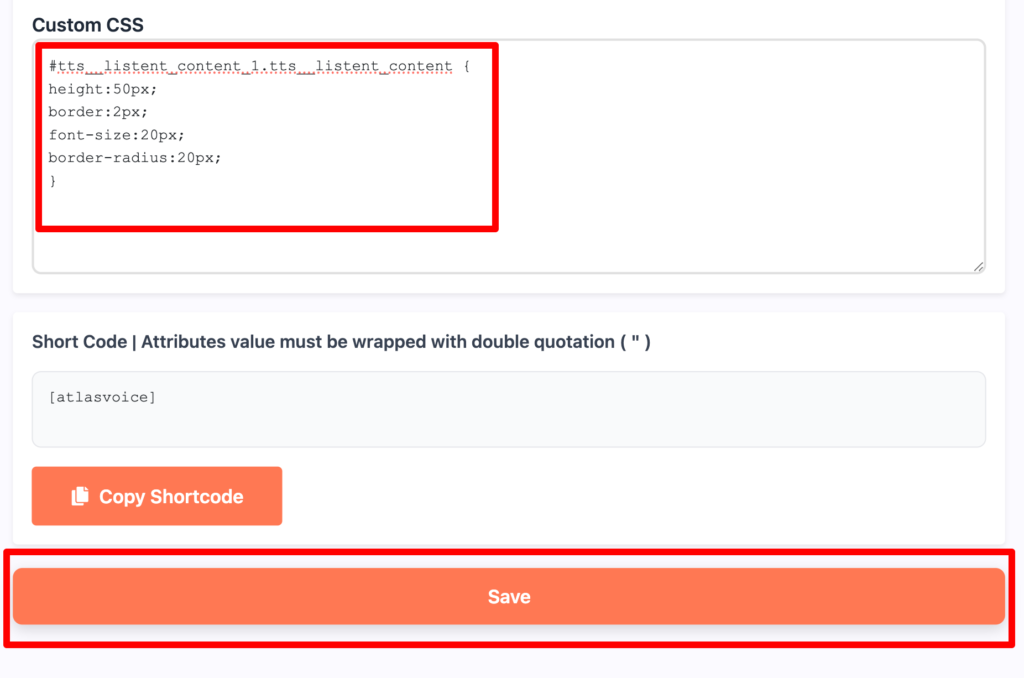
Come to the customization tab again and add the custom css however you want.Please make sure add the ID name with hash and class name with dot. Lastly, press the save button.
Now on frontend you will see the custom css are added to the player button perfectly.