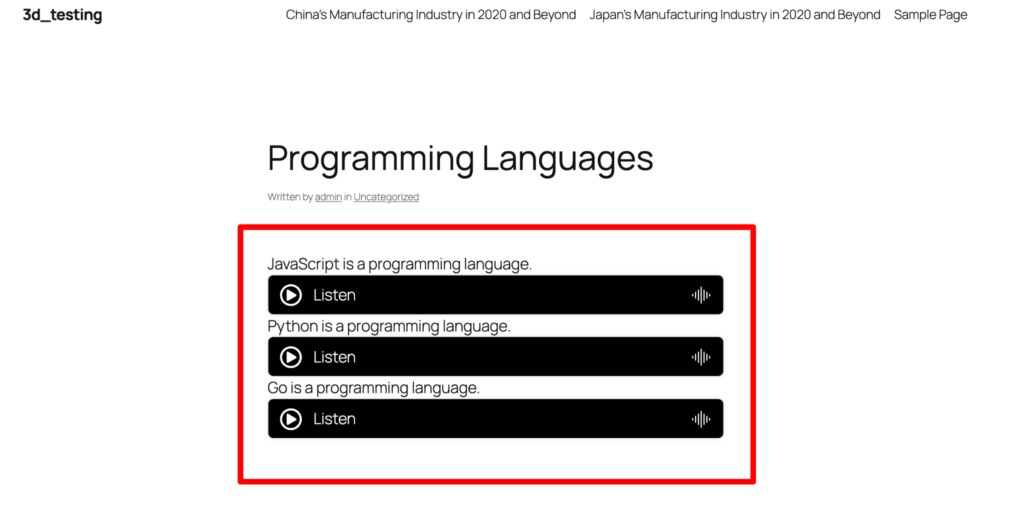
How to implement multiple player with default pro player?
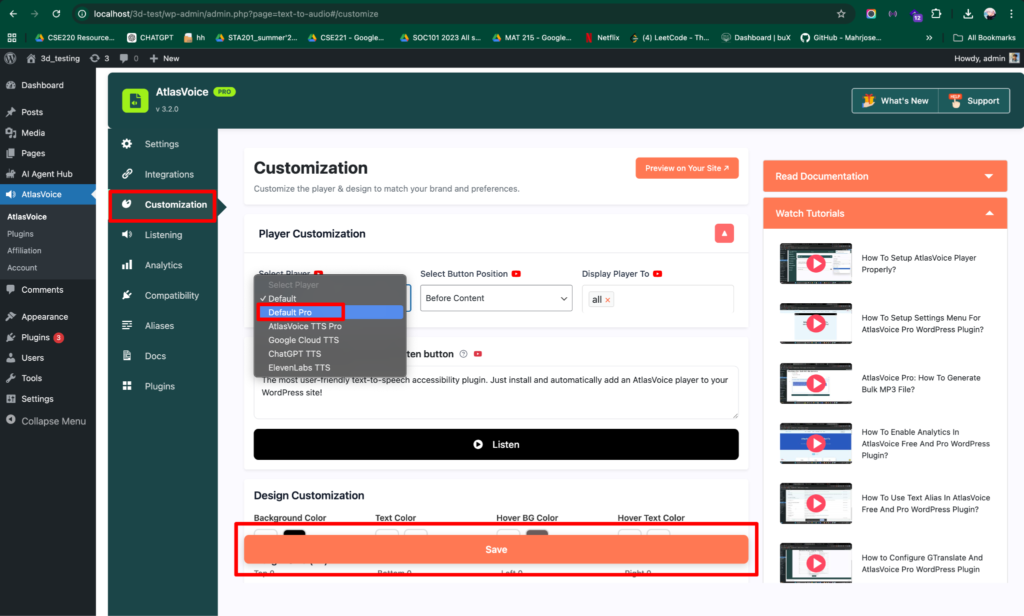
First go to the customization tab from the admin dashboard.
Select the “Default Pro” player from the player options. Then press the save button.
Now go to the post/page where you want to add the multiple player.
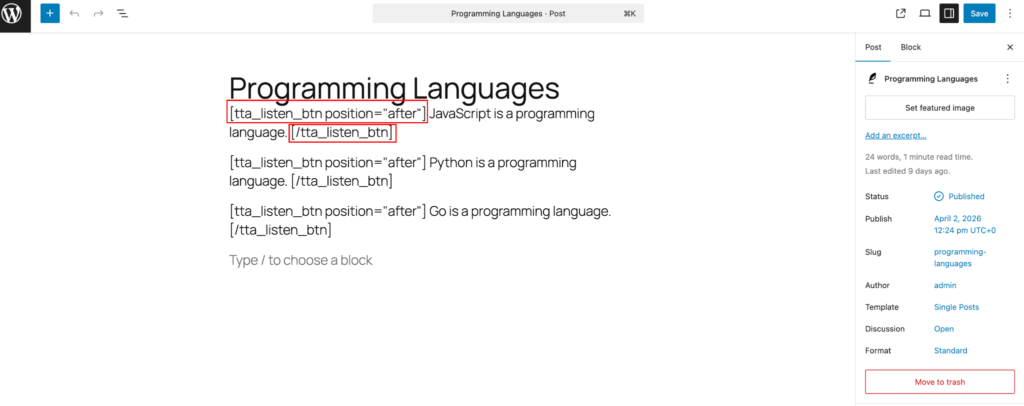
For multiple players you have to add some tags. As an example,
tta_listen_btn position = “after” means adding the button position after the content.
Similarly you can use tta_listen_btn position = “before” tag to add the button position before the content.
NOTE: Please make sure you end your content with this tag /tta_listen_btn everytime you want to add the multiple player button. Otherwise multiple player button won’t work.
Here is the end result: