How to add text before and after content in AtlasVoice?
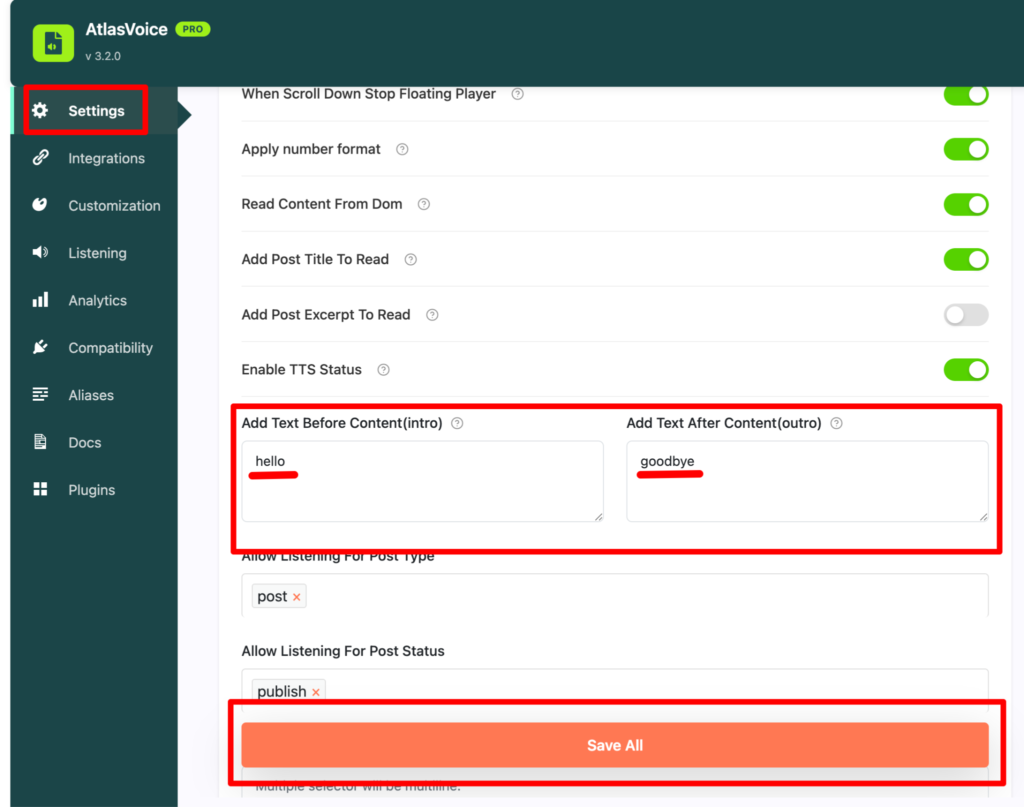
First come to the settings tab from the admin dashboard and scroll down to the option “Add text before content(intro) and Add text after content(Outro)”.
Add the word you want your player to read which is not in the content. So here as an example we have added “hello” as an intro word and “goodbye” as an outro word. Then press the save button.
Here in the frontend you will see the player is reading “hello” as a first text before starting the main text content and ending its reading with “goodbye” as a last text.