How to use Exclude Categories To Speak & Tags To Speak in AtlasVoice Pro?
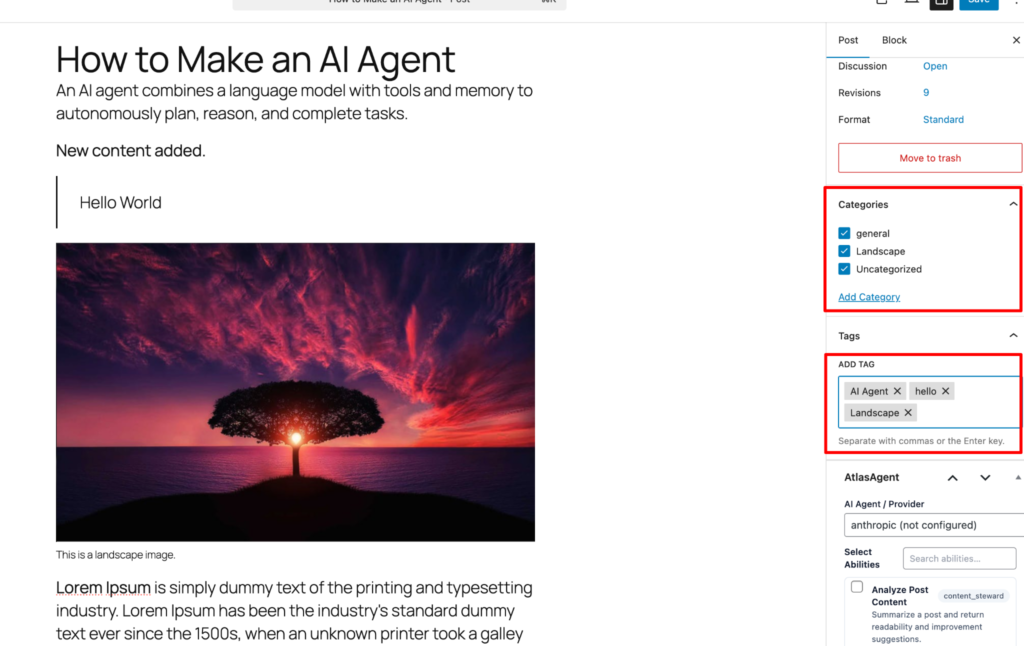
First go to your edit post/page. On the right sidebar there are options like “Categories” and “Tags”. You can add categories and tags to your post/page.
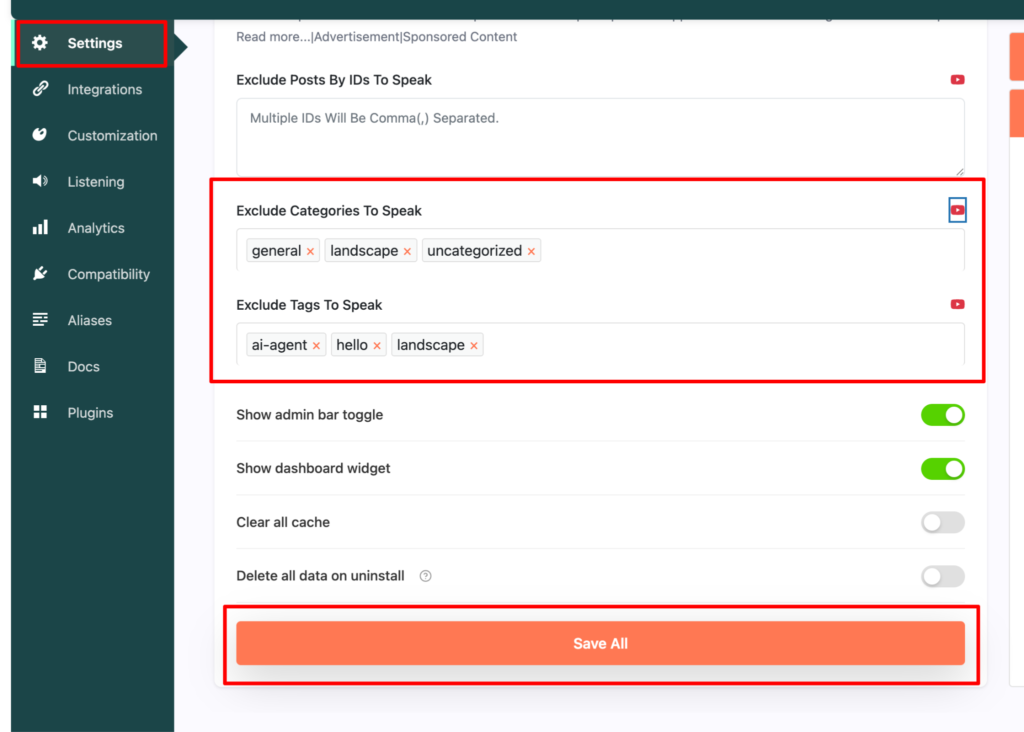
For excluding both the categories and tags to speak, you have to go the settings tab from the admin dashboard. Scroll down to the options exclude categories to speak and exclude tags to speak option. Now you can select the categories and tags to exclude from speaking. Lastly press the save button.
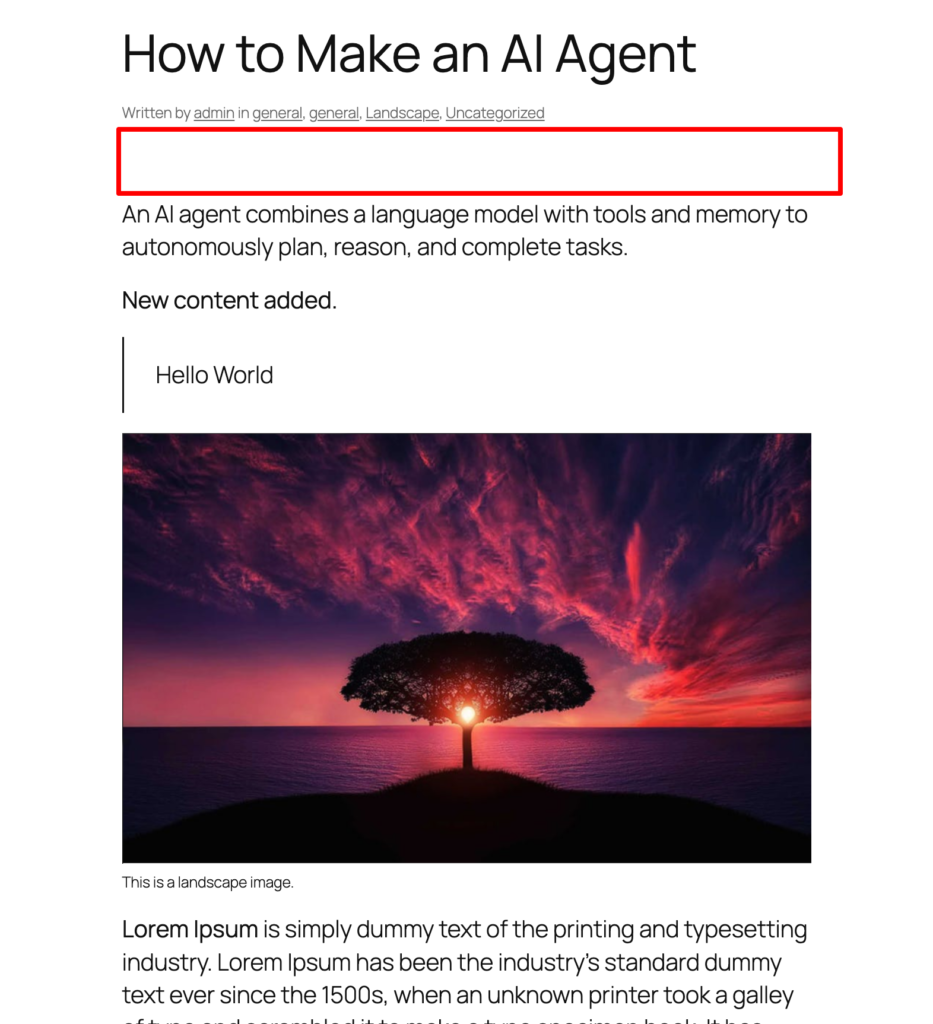
Now on frontend you will see there is no player as it excluded the categories and tags of the post/page.