How to integrate ChatGPT TTS into AtlasVoice Pro?
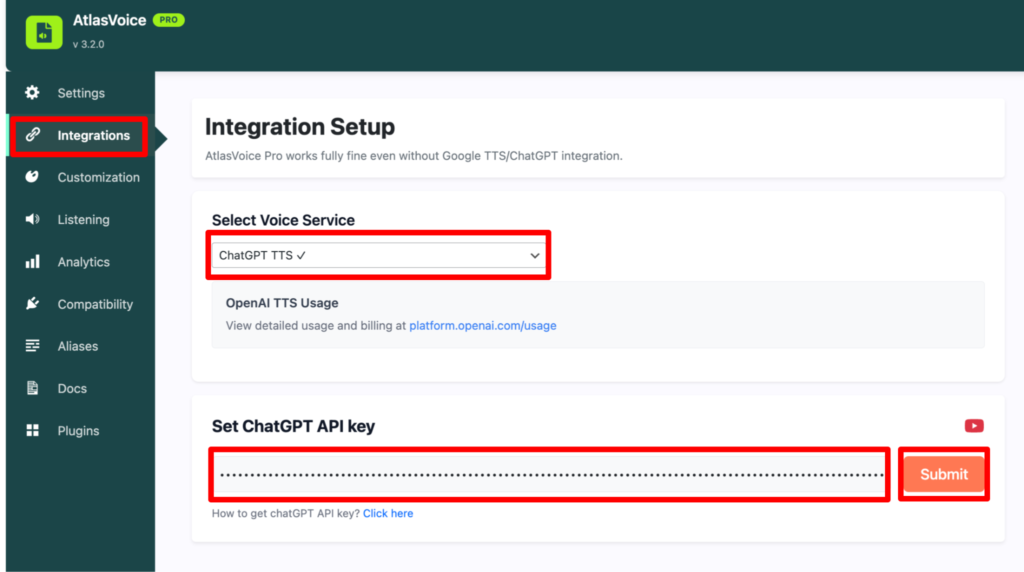
First, go to the “Integrations” tab from the admin dashboard.
Then choose the voice service as “ChatGPT TTS”. Here you have to get an API key from the OpenAI website and make sure to paste it into the input field. And press the submit button.
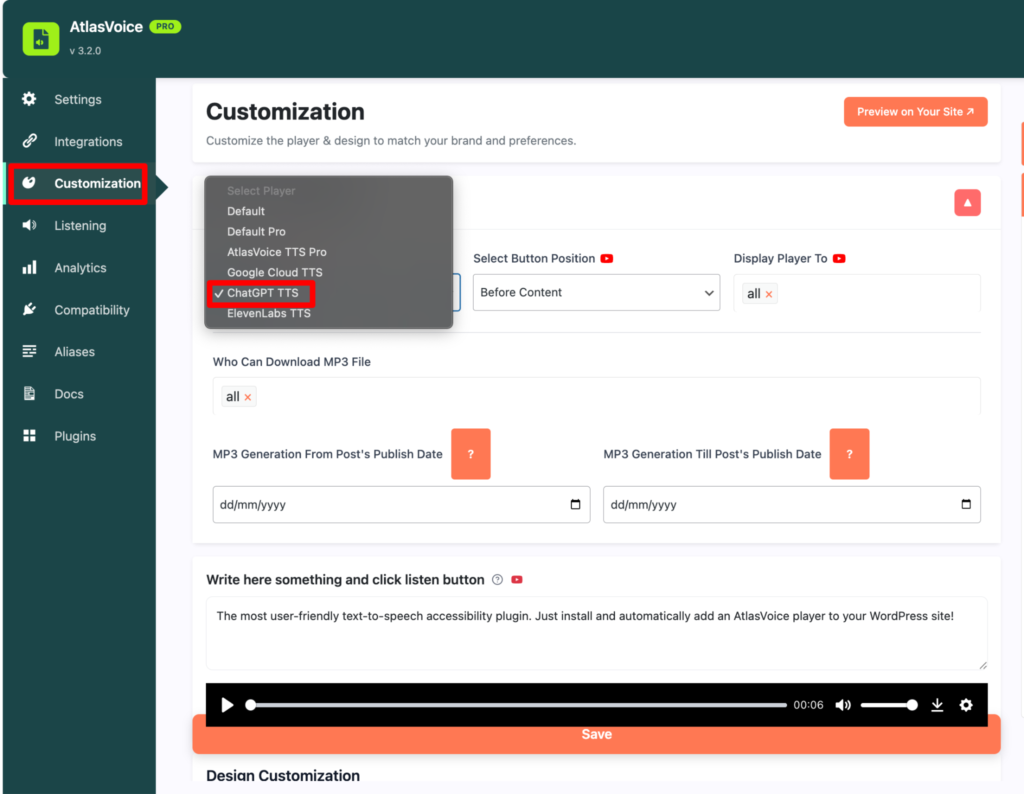
Then come to the customization tab and select the player as ChatGPT TTS and press the save button.
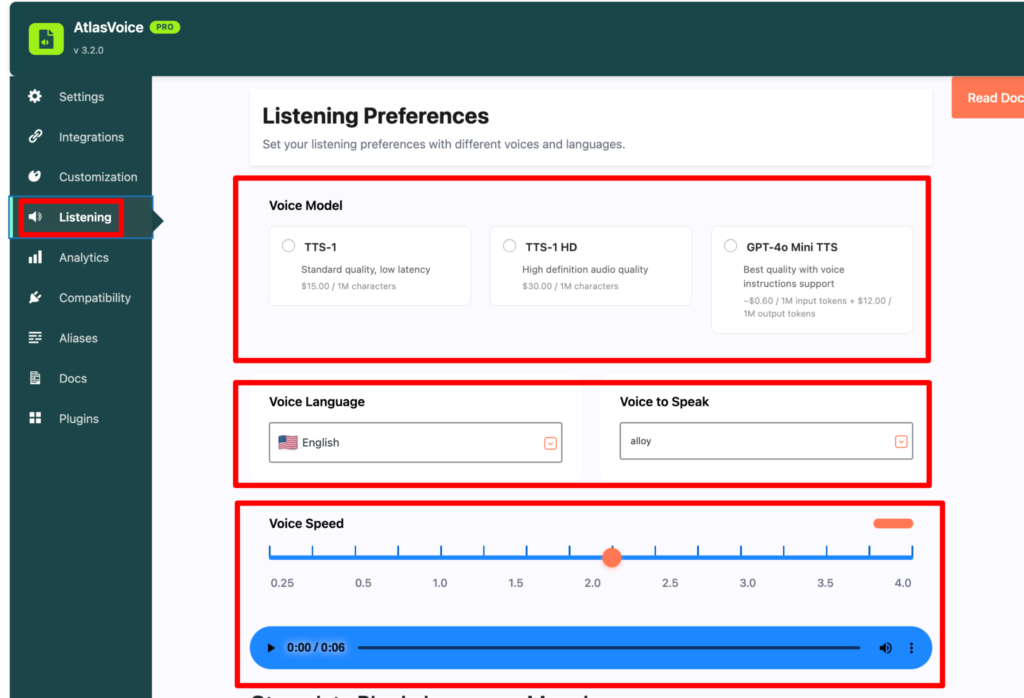
Now you have to come to the listening tab to adjust the player as your preference wise.
ChatGPT TTS has various listening preferences. Here you can change the voice models as your choice then voice languages, which voice to speak and lastly the speed control of the player. After all the adjustments, press the save button.
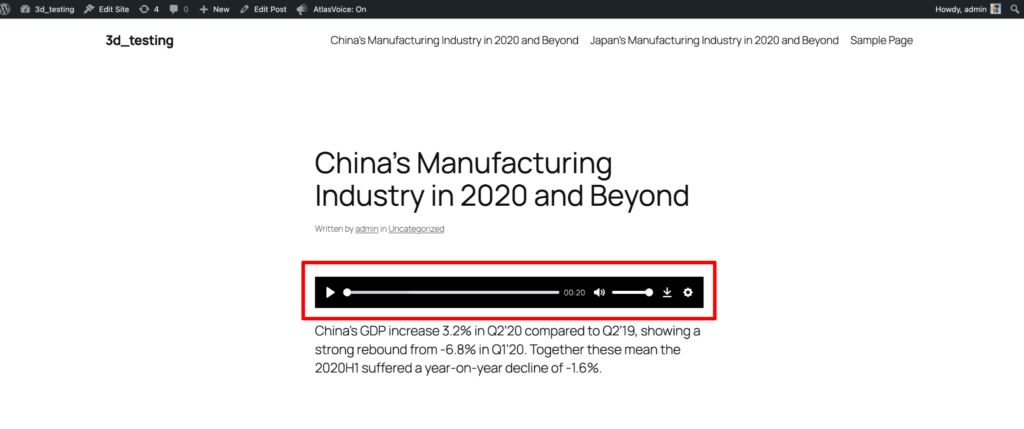
Finally you will see the end result where you can actually adjust your player as ChatGPT TTS format.