
How to Turn Any WordPress Plugin REST API into AI Tools (Abilities)
Most plugins do not offer AI tools yet, but almost all of them have a REST API. The Abilities screen turns those REST endpoints into tools your AI assistant can call in plain language, and shows every ability already on your site.
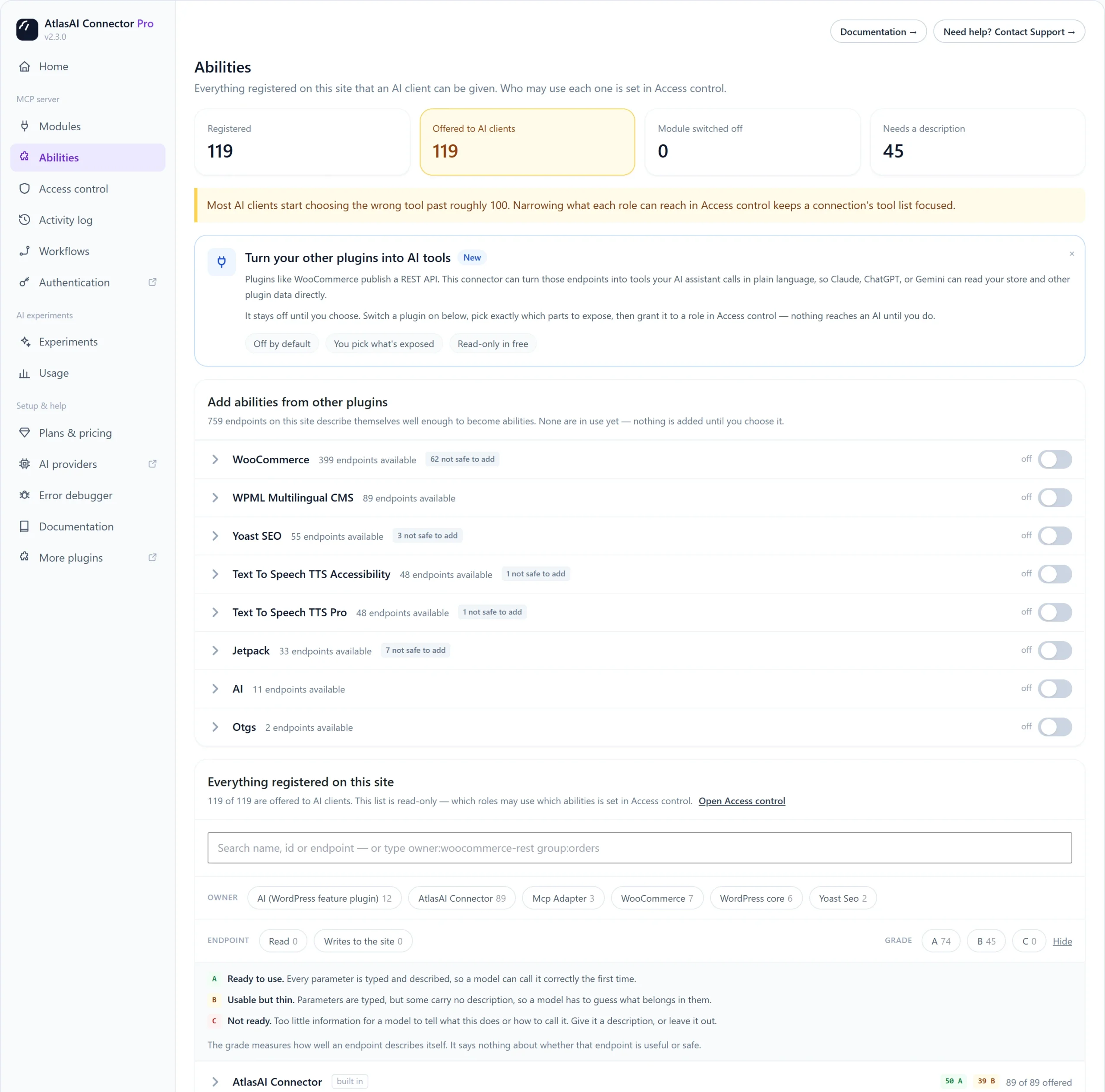
Read the numbers at the top
- Registered: every ability on your site.
- Offered to AI clients: abilities an AI client can be given.
- Module switched off: abilities hidden because their module is off.
- Needs a description: abilities an AI may call wrongly because they are not described well.
Add tools from another plugin
- Go to AtlasAI Connector → Abilities.
- Under Add abilities from other plugins, find the plugin, for example WooCommerce.
- Expand it and switch on only the parts you want to expose. Endpoints marked not safe to add cannot be added.
- Go to Access control and grant the new abilities to a role.
Nothing reaches an AI until you switch it on and grant it to a role.
Pro: The free plugin adds read-only tools from WooCommerce. Pro adds tools from every plugin on your site, including endpoints that change data.
What the A, B and C grades mean
| Grade | Meaning |
|---|---|
| A | Ready to use. Every parameter is typed and described, so a model calls it correctly the first time. |
| B | Usable but thin. Some parameters have no description, so a model has to guess. |
| C | Not ready. Give it a description or leave it out. |
The grade measures how well an endpoint describes itself. It does not say whether the endpoint is useful or safe.
Pro: Edit an ability to rewrite its name, description and parameter text so an AI calls it correctly.