
How to Track AI Token Usage in WordPress
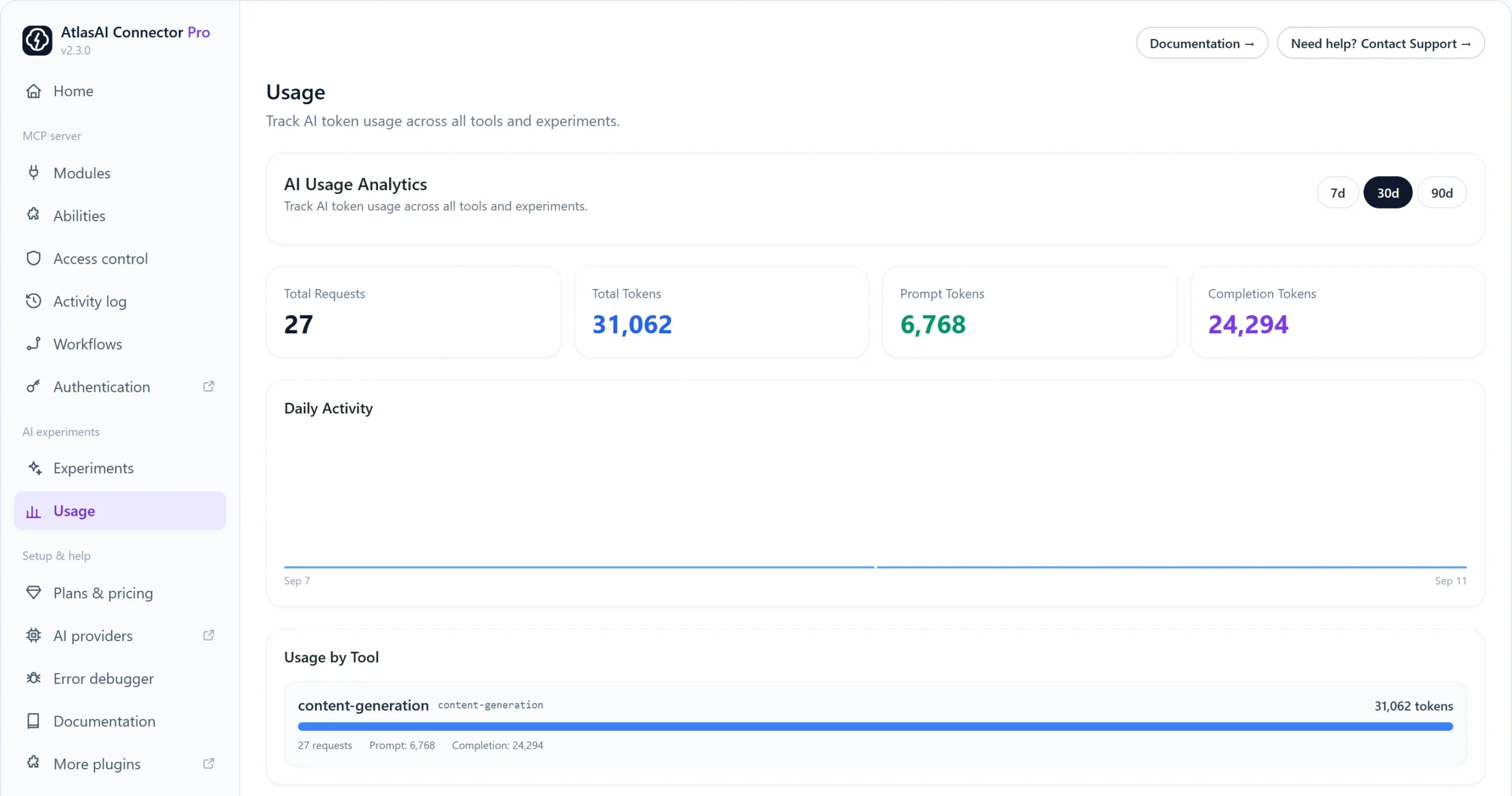
AI providers charge by the token. The Usage screen shows how many requests and tokens your site used, so you can spot which tool costs the most.
How to read your usage
- Go to AtlasAI Connector → Usage.
- Pick a period: 7d, 30d or 90d.
- Check the totals: Total Requests, Total Tokens, Prompt Tokens (what you sent) and Completion Tokens (what the AI wrote).
- Scroll to Usage by Tool to see which experiment or tool used the most.
Why is my usage zero?
- No AI generation has run yet in the selected period.
- MCP tools that only read or change your site, such as searching posts, do not use AI tokens. Only tools that ask an AI provider to generate something do.
Tips to lower your bill
- Choose a smaller, cheaper model as your default on the Experiments screen.
- Shorten long custom prompts with Edit prompt.
- Turn off experiments you do not use.