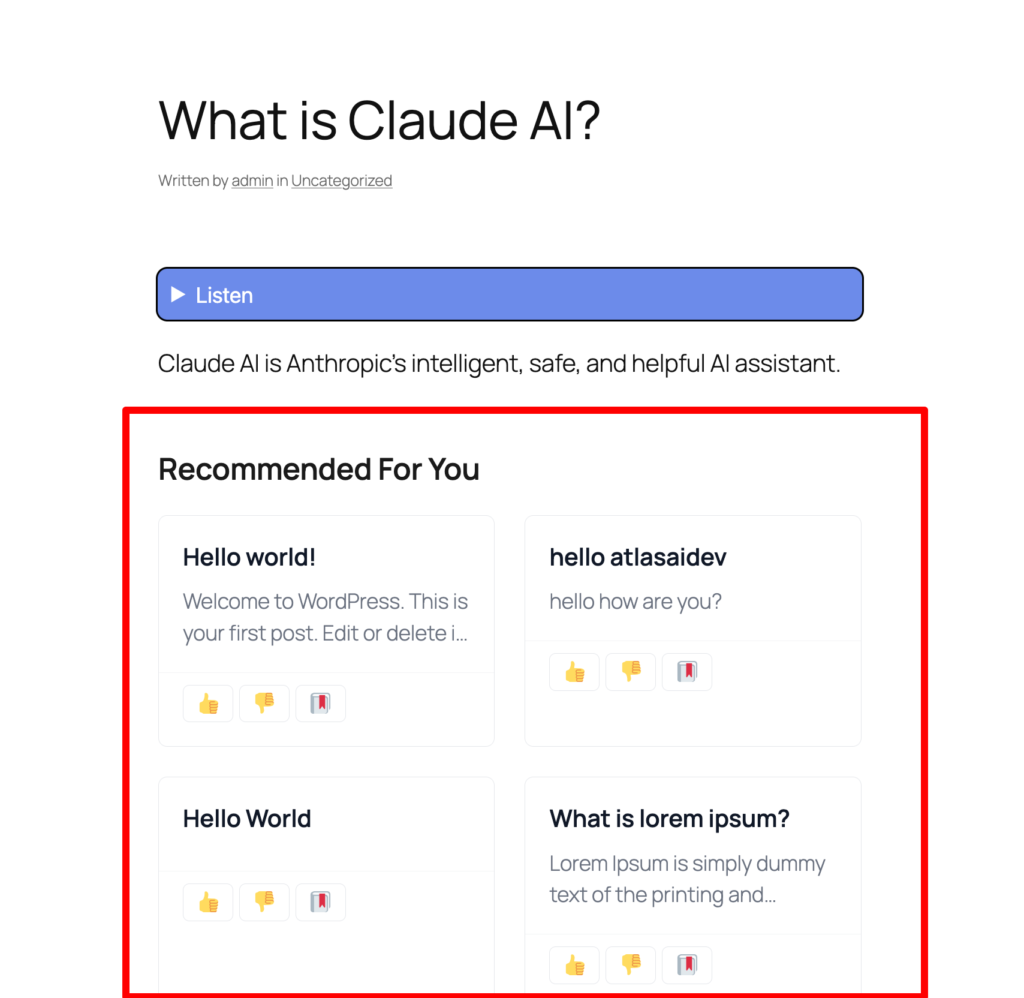
How to set-up RelevantFlow in Smart Local AI plugin?
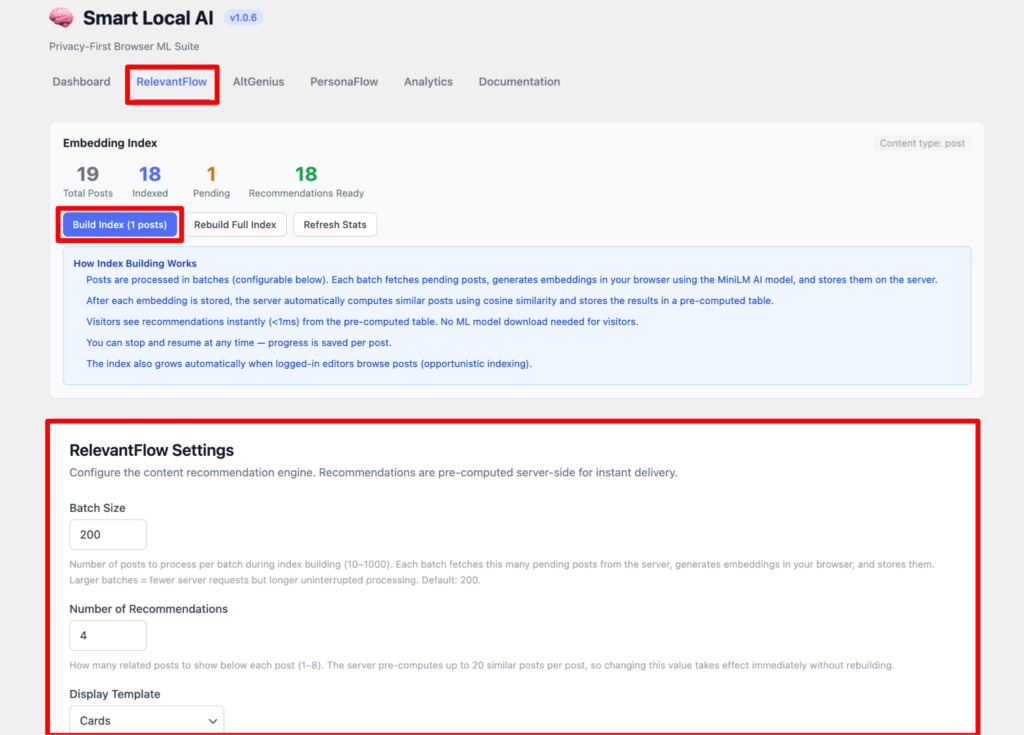
First come to the Smart Local AI dashboard and select the RelevantFlow tab. Here you have to do the indexing of the posts. Select all the posts and press the Build Index. Please go through the instructions how Index Building works.
Then set up the RelevantFlow settings. Here you can set the batch size.You can also set the default 200 as it is. Now you can set the number of recommendations and how many post you want to show as recommendations. Also how you want to display them suppose here we have set it up as cards.
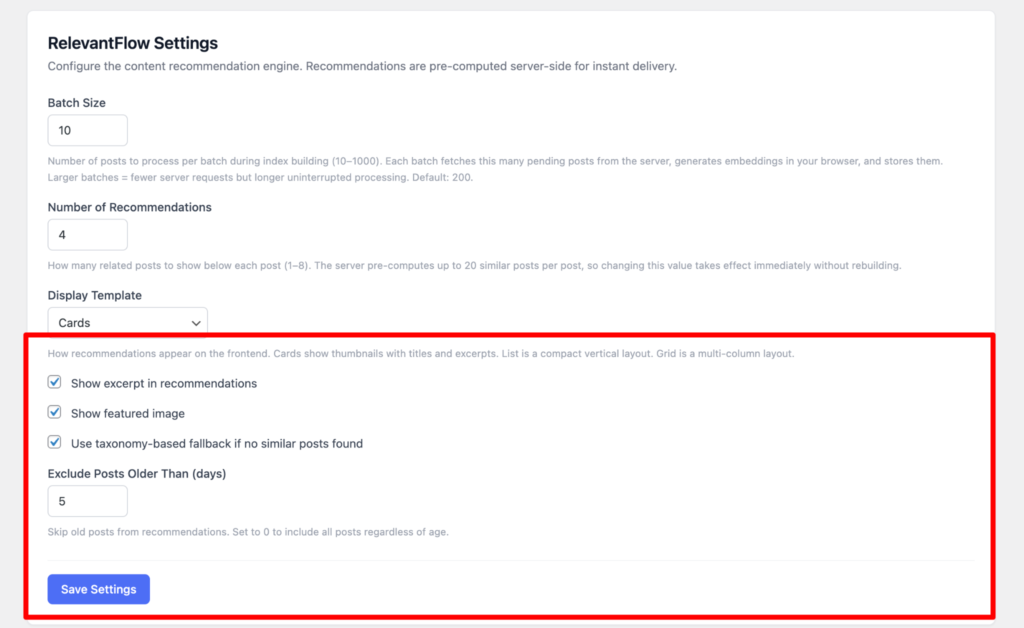
Here you can also set up the excerpt, featured image, taxonomy-based fallback if no similar posts are found. You can exclude older posts too from recommendations if you don’t want to show. Lastly press the save settings button.
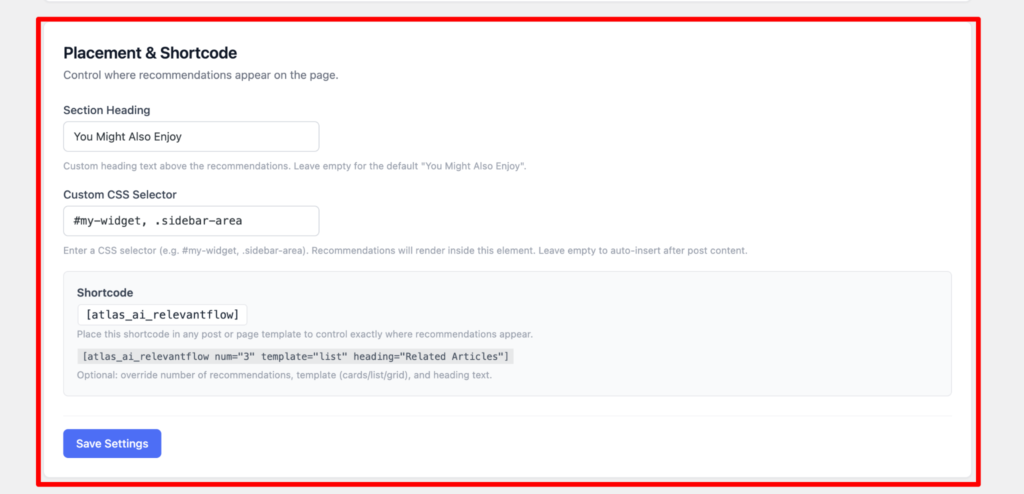
You can set the placement and shortcode here. You can add a section heading, custom css selector and shortcode for recommendation posts.
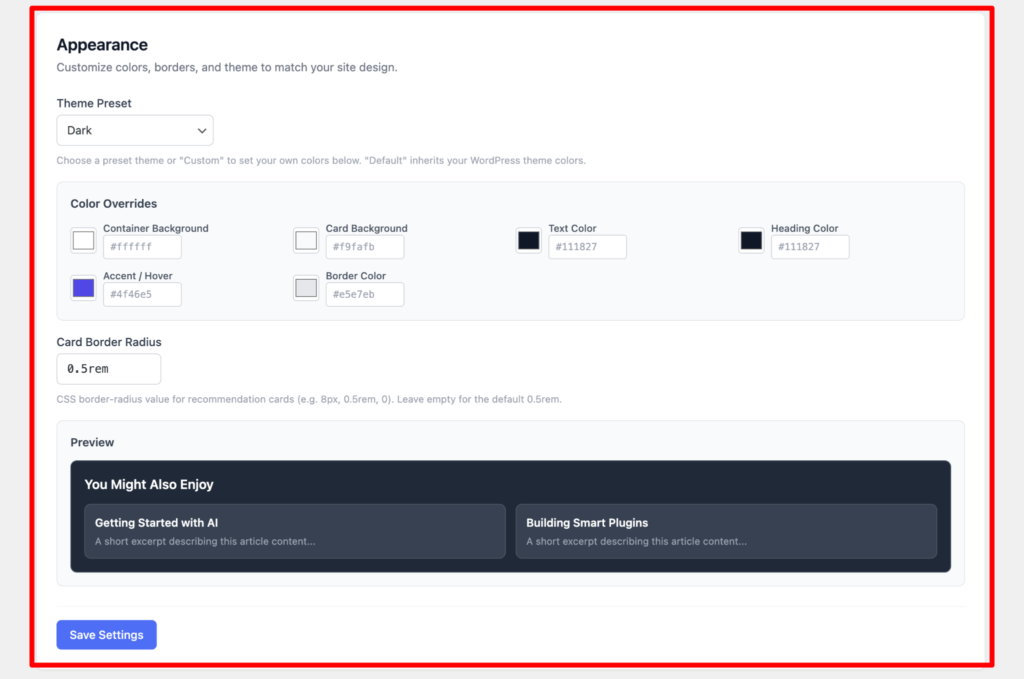
Here you can also change the theme and adjust the colors and border radius as your preferences and you can see the preview below. Lastly press the save settings button.
Now go to your post and you will see below your post the Recommendations are presented there according to your set up.