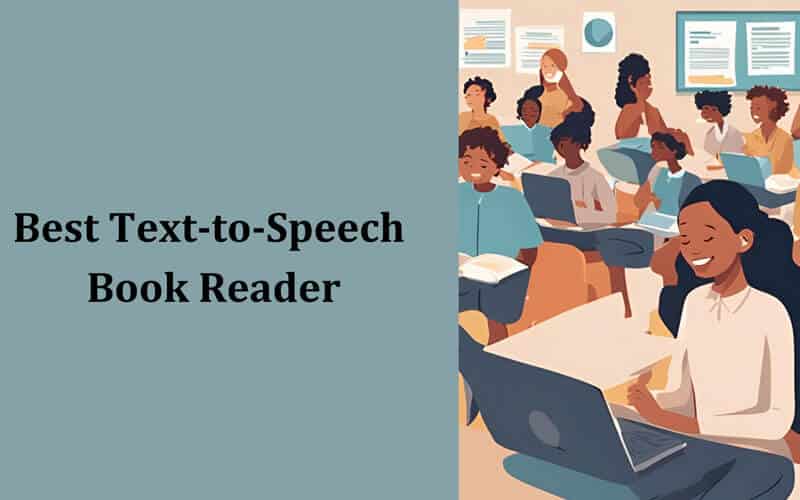
Website accessibility is no longer optional — it is a legal requirement in many countries and a moral imperative for all website owners. Text-to-speech technology is one of the most powerful tools available for making web content accessible to users with visual impairments, reading disabilities, and learning differences.
In this guide, we explain what text to speech accommodation means, how it helps meet WCAG and ADA compliance requirements, and how to implement it on your WordPress site in minutes.
What Is Text to Speech Accommodation?
Text to speech (TTS) accommodation refers to the provision of audio alternatives for written content, enabling people who cannot read text on screen to access the same information through listening. This includes:
- Users with visual impairments — Including blindness, low vision, and color blindness
- Users with dyslexia — TTS helps process written content more effectively
- Users with cognitive disabilities — Audio content reduces cognitive load for some users
- English language learners — Hearing pronunciation alongside reading improves comprehension
- Users with motor impairments — Who may have difficulty scrolling or navigating long text
- Older adults — Who may prefer audio content or have declining vision
WCAG 2.2 and Text to Speech Requirements
The Web Content Accessibility Guidelines (WCAG) 2.2 establish international standards for web accessibility. While WCAG does not explicitly mandate text-to-speech, several success criteria strongly benefit from TTS implementation:
- 1.1.1 Non-text Content (Level A) — All non-text content must have a text alternative. TTS extends this principle by providing audio alternatives for text content.
- 1.2.1 Audio-only and Video-only (Level A) — Audio versions of text content satisfy this criterion for pre-recorded media.
- 1.3.1 Info and Relationships (Level A) — TTS tools that properly read headings, lists, and structural elements help convey content relationships.
- 3.1.1 Language of Page (Level A) — TTS systems that detect and use the correct language improve the experience for multilingual content.
ADA Compliance and Text to Speech
The Americans with Disabilities Act (ADA) requires that places of “public accommodation” be accessible to people with disabilities. In recent years, courts have increasingly interpreted this to include websites. Adding text-to-speech to your website demonstrates a commitment to accessibility and can help mitigate ADA compliance risks.
Key industries where TTS accommodation is particularly important:
- Education — Schools and universities must provide accommodations for students with disabilities
- Government — Section 508 requires federal websites to be accessible
- Healthcare — Patient information must be accessible to all
- E-commerce — Online stores face growing legal pressure to be accessible
- Publishing — News sites and blogs benefit from broader audience reach
Benefits Beyond Compliance
Adding text-to-speech to your website does more than check a compliance box. It delivers real business value:
- Increased engagement — Users spend more time on pages with audio options
- Lower bounce rates — Audio gives visitors a reason to stay even when they cannot read
- SEO benefits — Audio schema markup can improve search visibility and click-through rates
- Broader audience reach — Serve users who prefer listening (commuters, multitaskers, etc.)
- Brand trust — Demonstrating accessibility commitment builds user trust and loyalty
How to Add Text to Speech to WordPress
The fastest way to add text-to-speech accommodation to a WordPress site is with a plugin. AtlasVoice Text to Audio (free on WordPress.org) adds an audio player to your posts and pages in under 5 minutes:
- Install the plugin from WordPress.org (search “Text to Audio” or “AtlasVoice”)
- Activate it and visit Settings → Text to Speech
- Choose your voice — AtlasVoice AI voices work immediately with no API key
- Select post types — Enable TTS for posts, pages, or custom post types
- Publish — An audio player appears automatically on your selected content
For enhanced accessibility features, AtlasVoice Pro adds premium AI voices from Google Cloud, OpenAI, and ElevenLabs, plus MP3 downloads, CSS selector targeting (to read only specific content areas), and audio schema markup for SEO.
Best Practices for TTS Accessibility
- Place the audio player prominently — Above the fold or at the top of the content area
- Use high-quality voices — Natural-sounding AI voices improve user experience
- Support multiple languages — If your site serves international users, use a multilingual TTS solution
- Provide download options — Let users download MP3 files for offline listening
- Exclude navigation and ads — Use CSS selectors to read only the main content
- Test with real users — Ask users with disabilities to evaluate your TTS implementation
- Combine with other accessibility tools — TTS complements screen readers, high-contrast modes, and font size adjusters
Ready to make your website more accessible? Start with the free AtlasVoice plugin — trusted by 4,000+ WordPress sites worldwide with a 4.8-star rating.
Related Articles
- Best WordPress Text to Speech Plugin: 6 Top Plugins Compared
- Google Cloud TTS vs OpenAI vs ElevenLabs: Complete AI Voice Comparison
- How to Add Text to Speech to Any Website: 5 Methods Explained
- What Is Text to Speech Accommodation?
- Best Text to Speech Book Readers
🔊 Stay Updated with AtlasVoice
Get the latest tips on text-to-speech, accessibility, and WordPress delivered to your inbox.
No spam. Unsubscribe anytime.