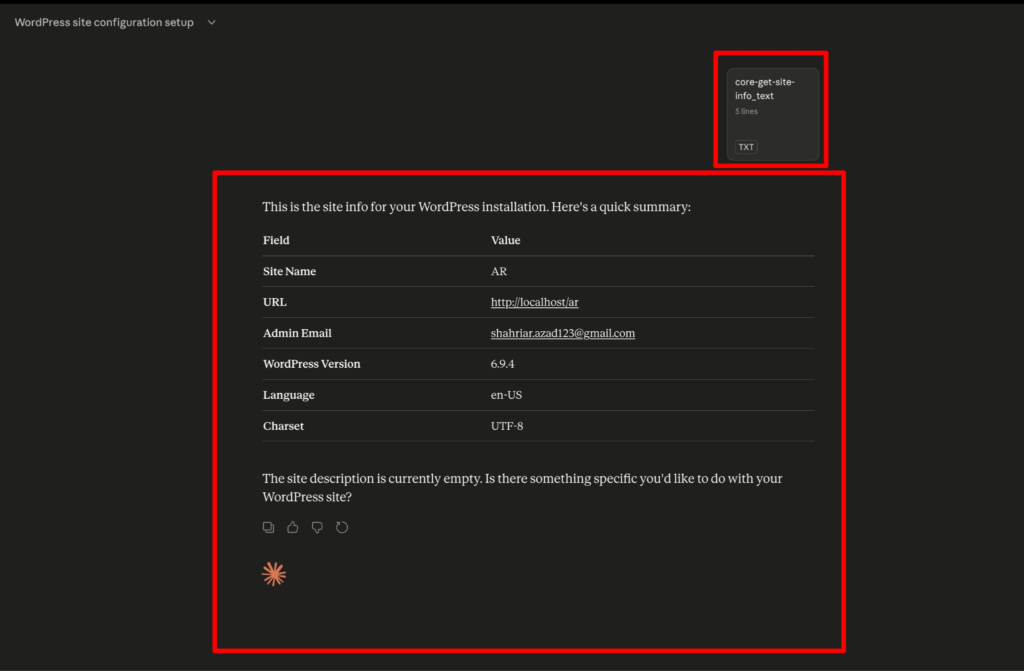
How to use Site Info and Diagnostics Module through Claude MCP server in AtlasAgent?
After setting up the Claude MCP server with AtlasAgent plugin, you can directly use the Claude MCP server to use the module and features of AtlasAgent. Also, you can run all the abilities from there.
First go to your Claude AI. Click the plus icon for connectors, you will see the AtlasAgent MCP server is connected named as “awfah”. You can also see that there is one more option “Add from awfah” this is an option where you can generate every module and run the abilities straight from the Claude MCP server.
Lets pick the site information ability from the Site info and Diagnostics Module.
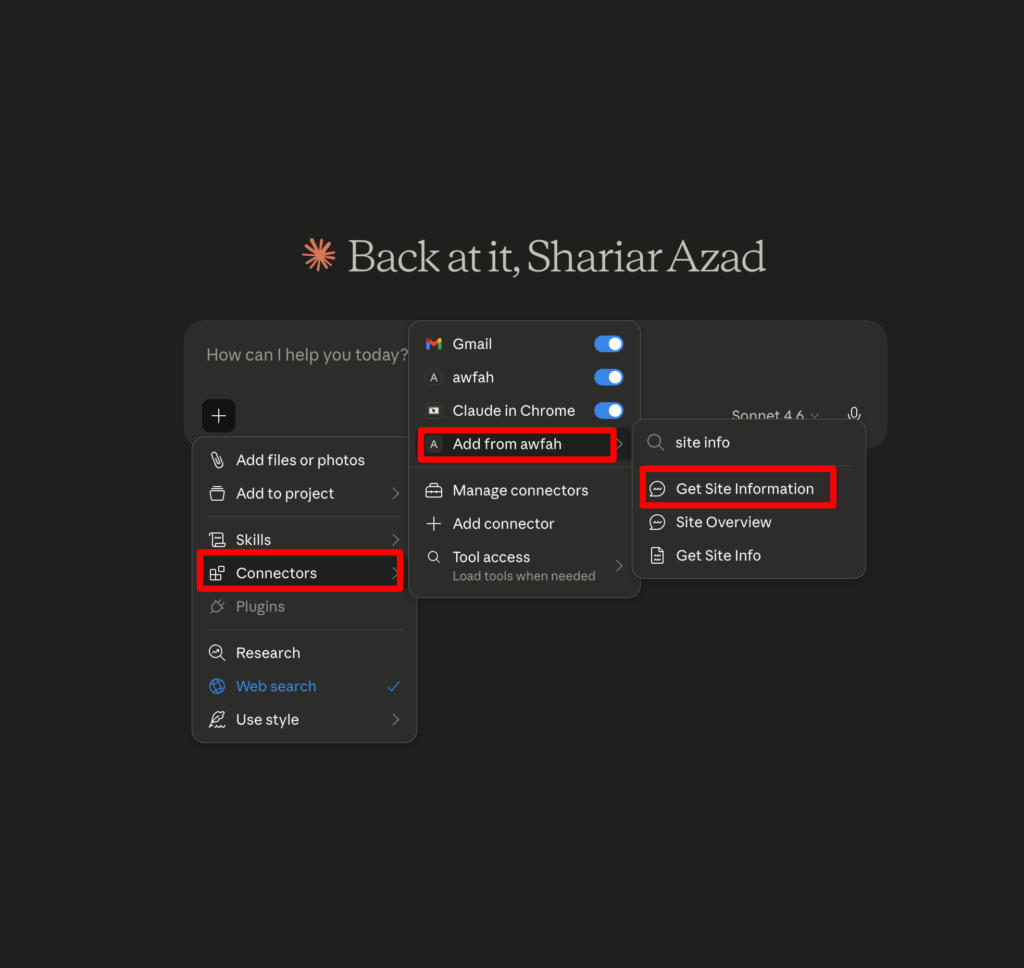
Press the Get Site information button.
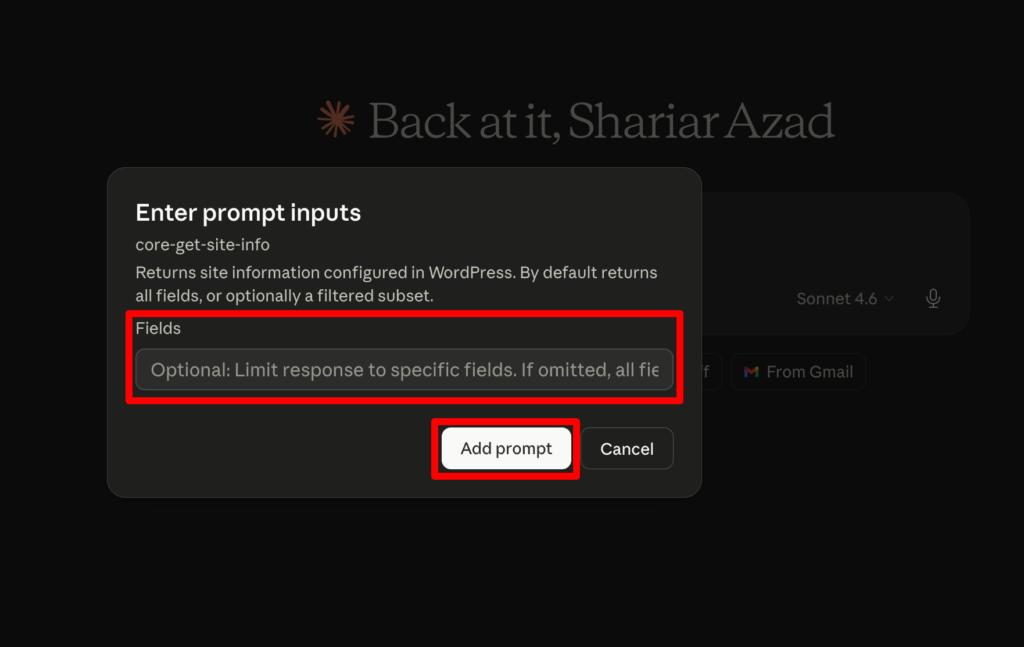
Now you can add fill up the optional field or can leave it as it is. Then add the desired prompt as your wish. Lastly, hit the run button.
Now as you can see the final result. It fetched your site information through the MCP server.