How to use AI Content Steward Module in AtlasAgent Plugin?
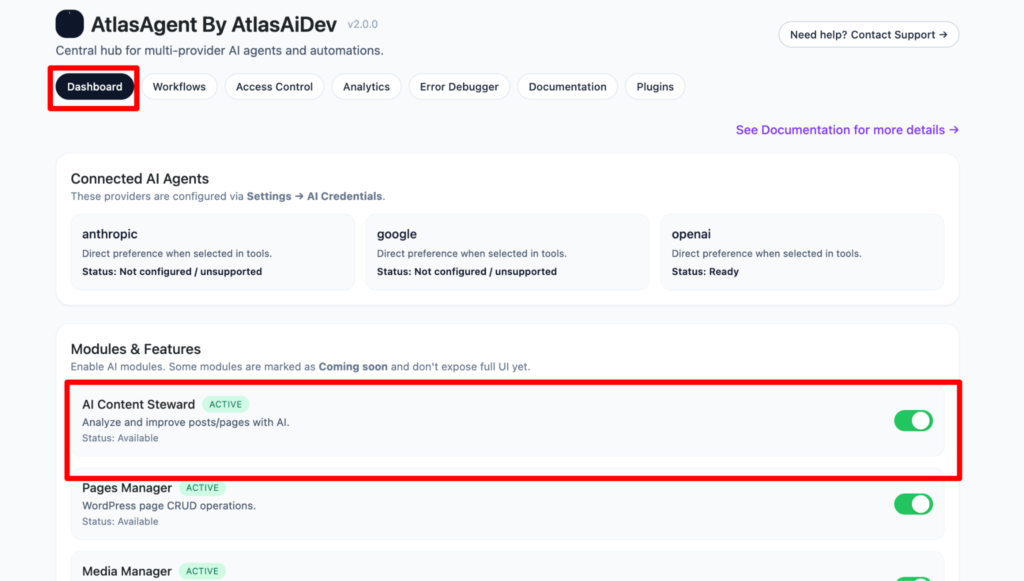
First come to the AI Agent Hub dashboard.
And turn on the AI Content Steward Module.
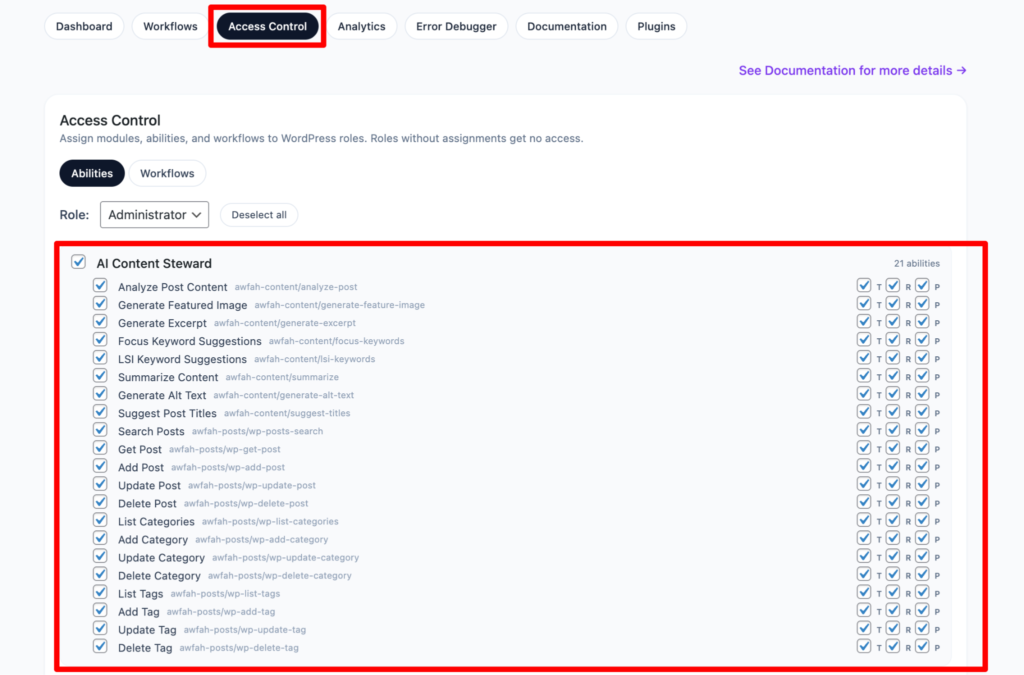
Then go to the Access Control tab. Here you can customize your module as you wish.
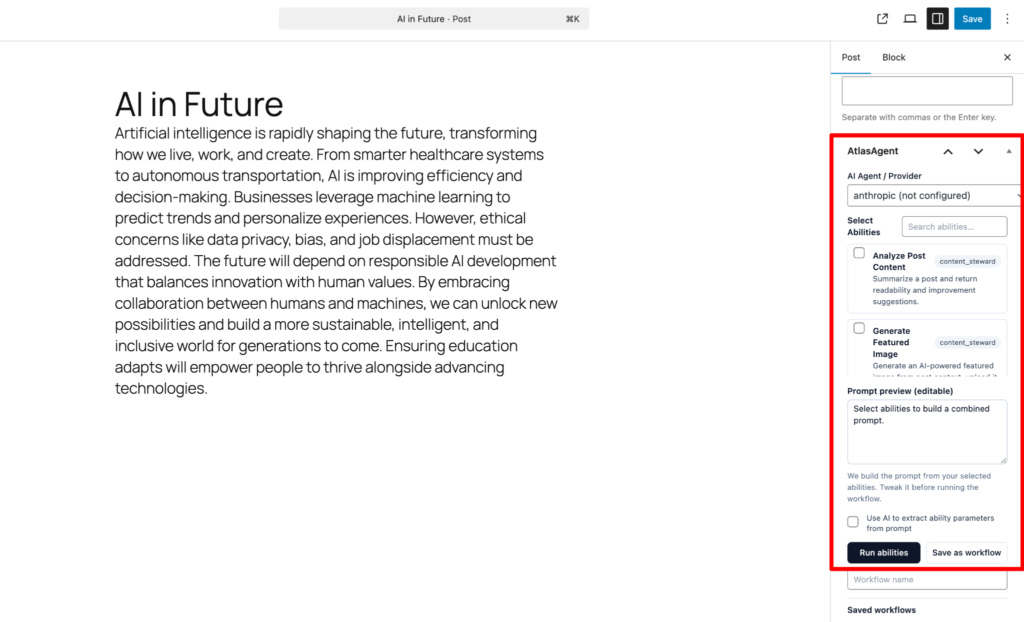
Now, go to the edit post and on the right sidebar scroll down then you will find a new feature of AtlasAgent.
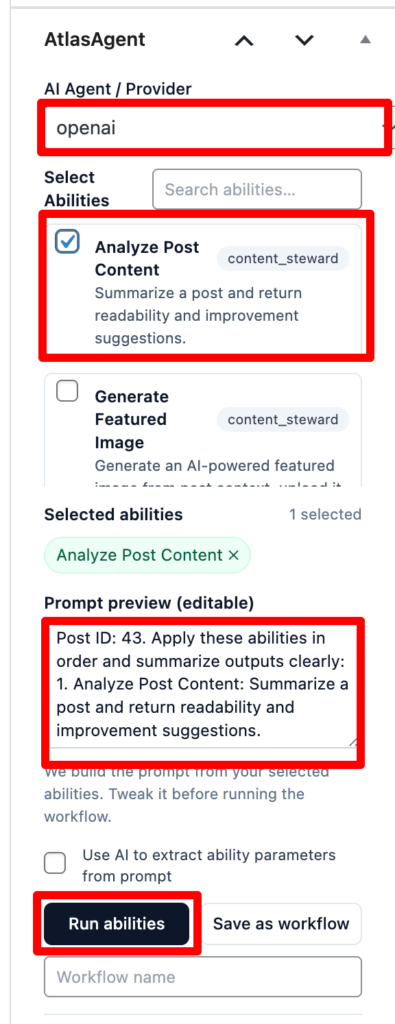
Here you can choose the AI provider that you have configured. Then choose the ability according to your wish. Suppose here we have chosen the “Analyze post content” ability. There is also an option for prompting. If you don’t like the default prompt you can always edit your desired prompt.