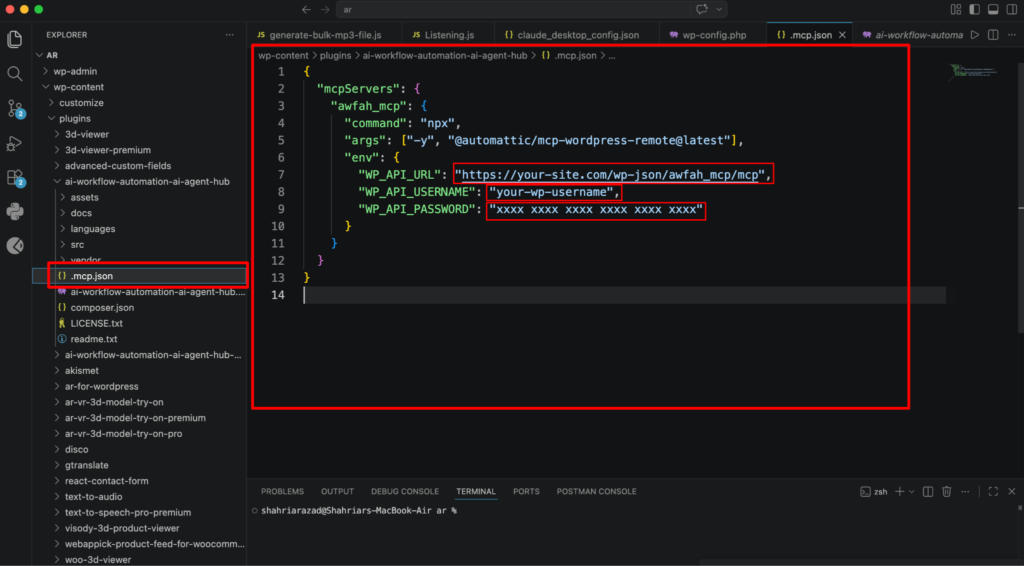
How to set-up MCP Integration (AI Agent Protocol) in AtlasAgent plugin?
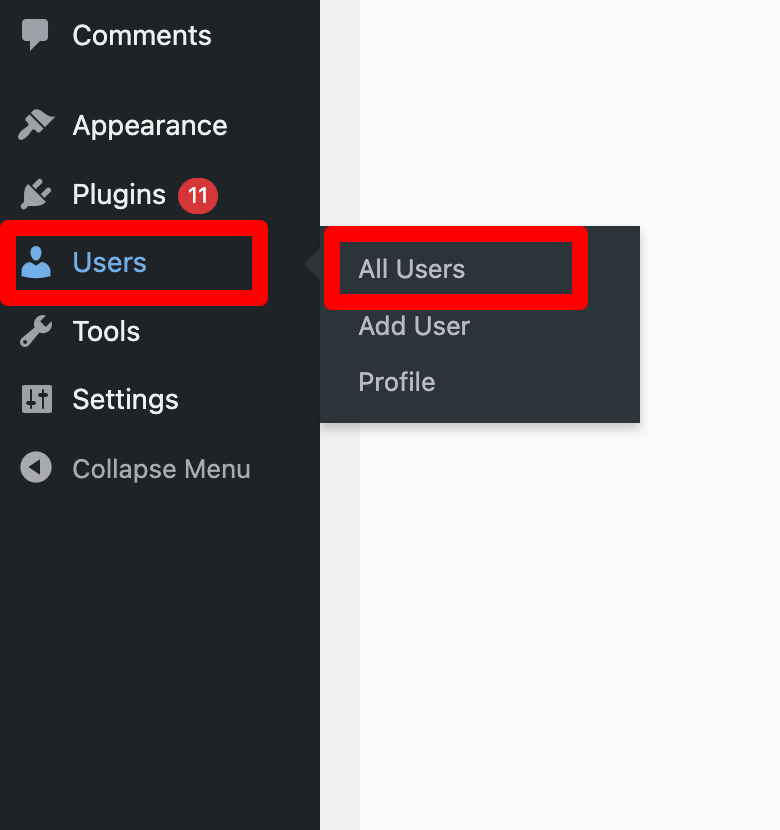
First go to the wordpress admin dashboard and scroll down to the Users menu. Then select All users.
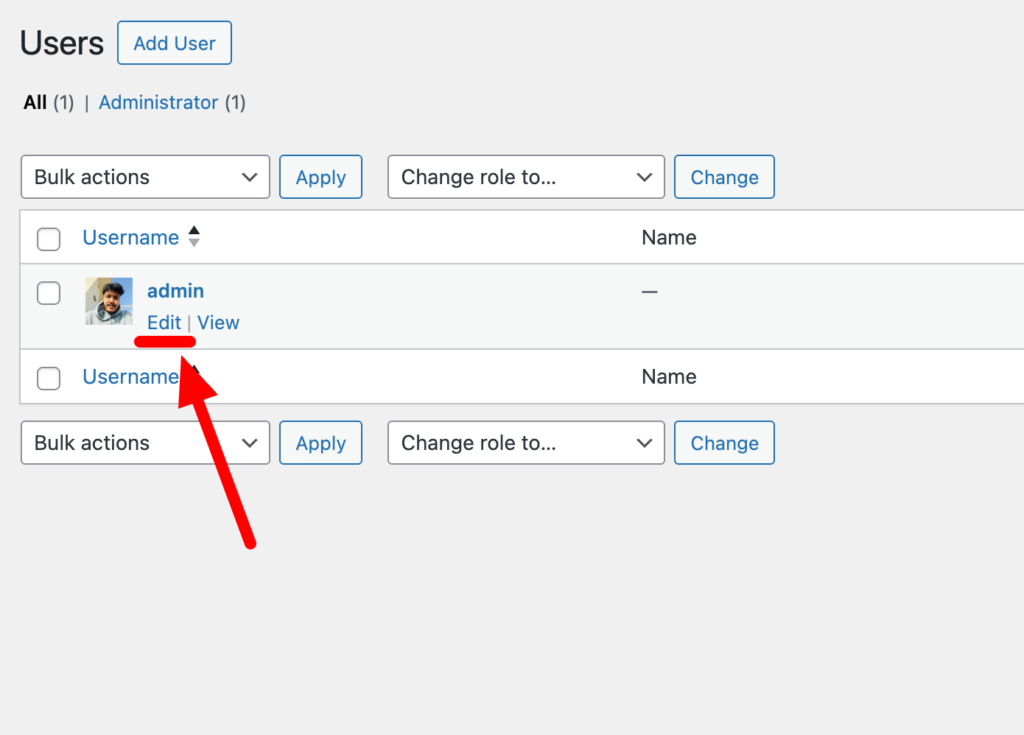
Then select the Edit user button.
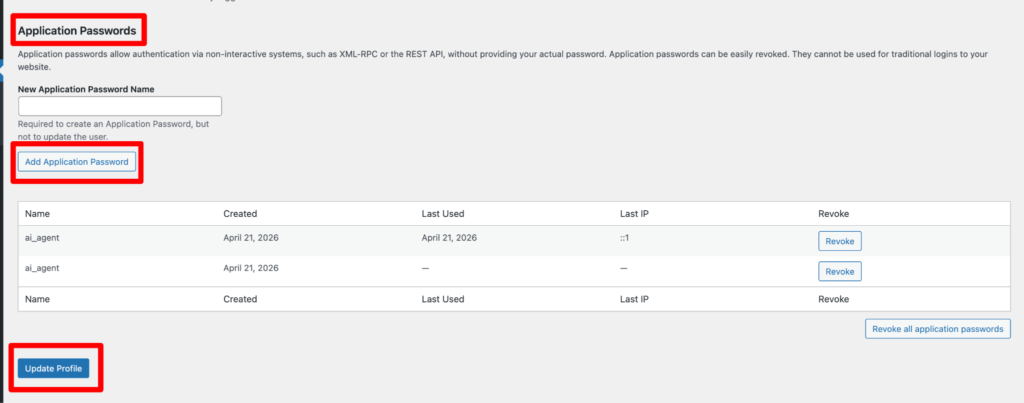
Now you have to generate an Application password. First give any name you like then click the Add new button and copy the generated password.
Now add MCP config to your AI client – Create or edit .mcp.json in your project root (or the client’s MCP settings) with configuration below. Please make sure you paste the Application password on the “WP_API_PASSWORD” field that you copied.