How to set up the Workflows feature in AtlasAgent plugin?
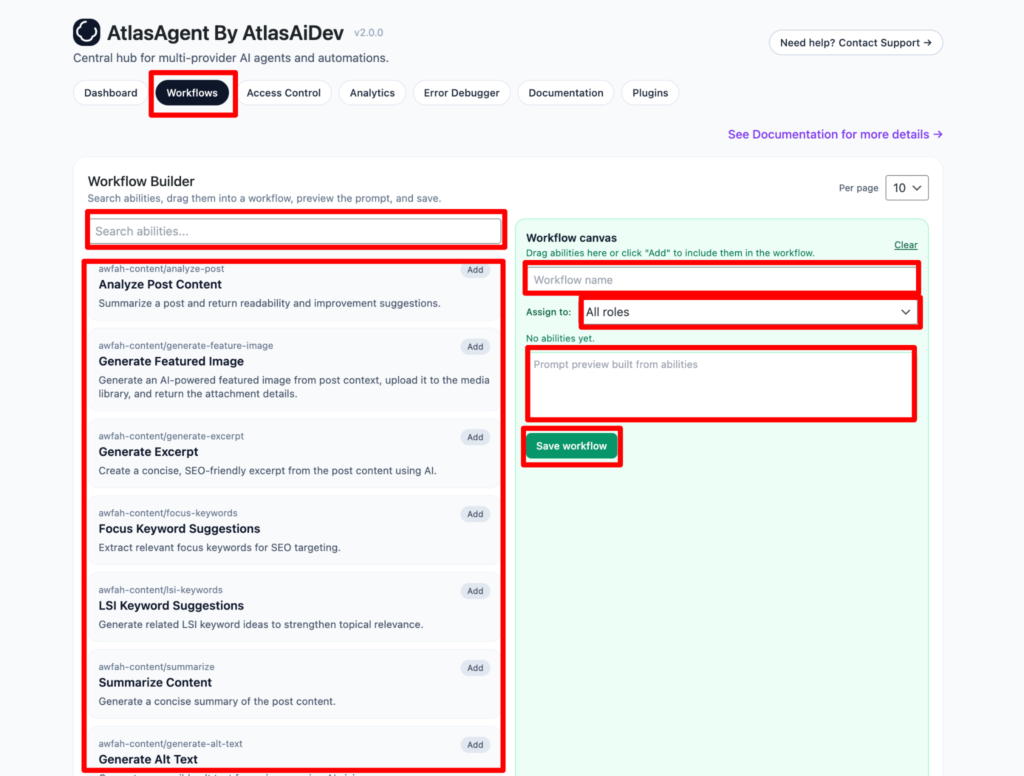
Basically the Workflows tab allows you to create custom AI automation workflows by combining multiple abilities.
First, navigate to the “Workflows” tab in the AI Agent Hub. Here you can search for the abilities you want to include in your workflow. You can drag the abilities to the workflow canvas or click “Add”. Give your workflow a descriptive name. Also review the auto generated prompt. If you don’t like it you can always customize it according to your wish. Lastly press the save workflow button.
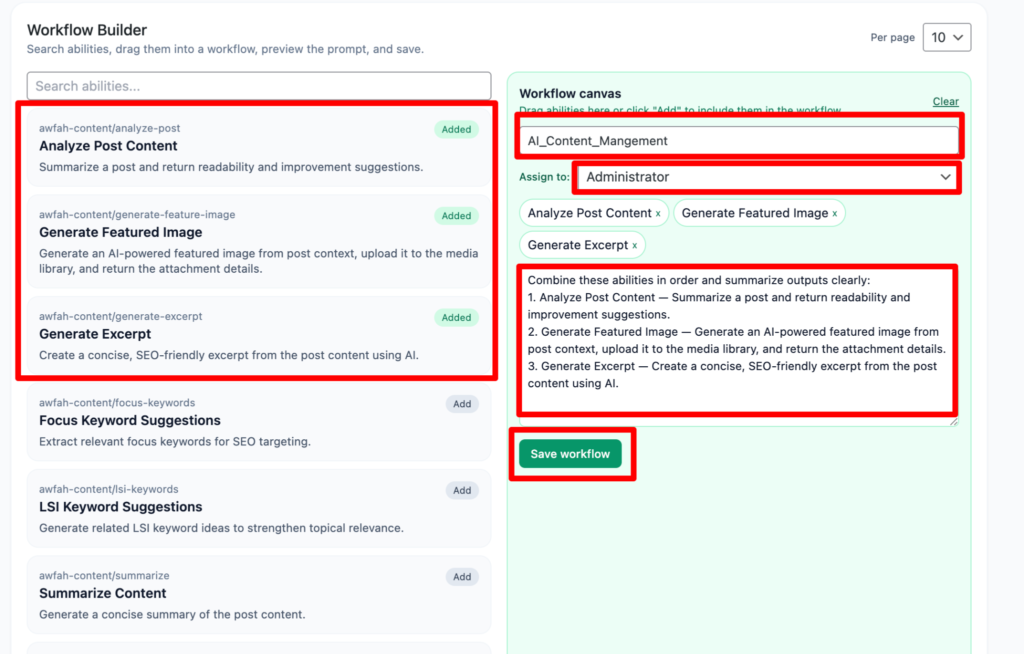
Here as you can see we have dragged the first three abilities to the workflows and given it a name, assigned the role to Administrator and it generated a prompt automatically. Also you can notice on the left sidebar, the abilities we have dragged it has now status “Added”. Lastly press the save workflow button.
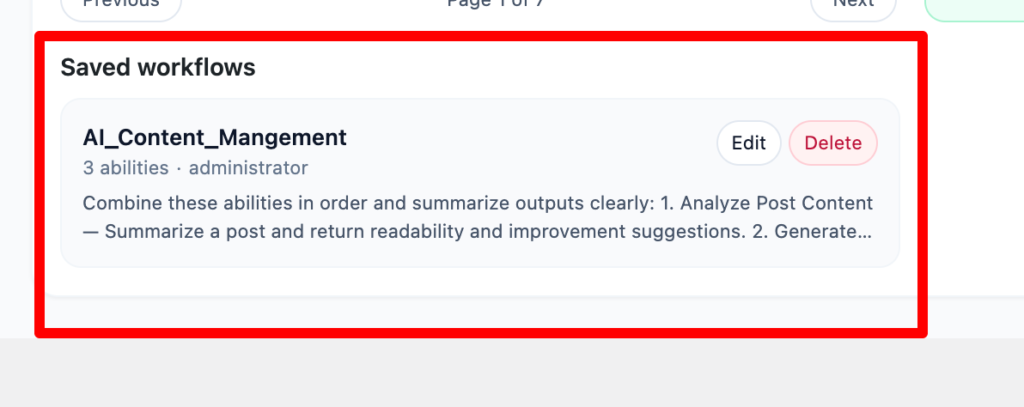
After saving the workflows, you will find the saved workflows at the bottom of your page.
You can always edit the saved workflows and also can delete them.
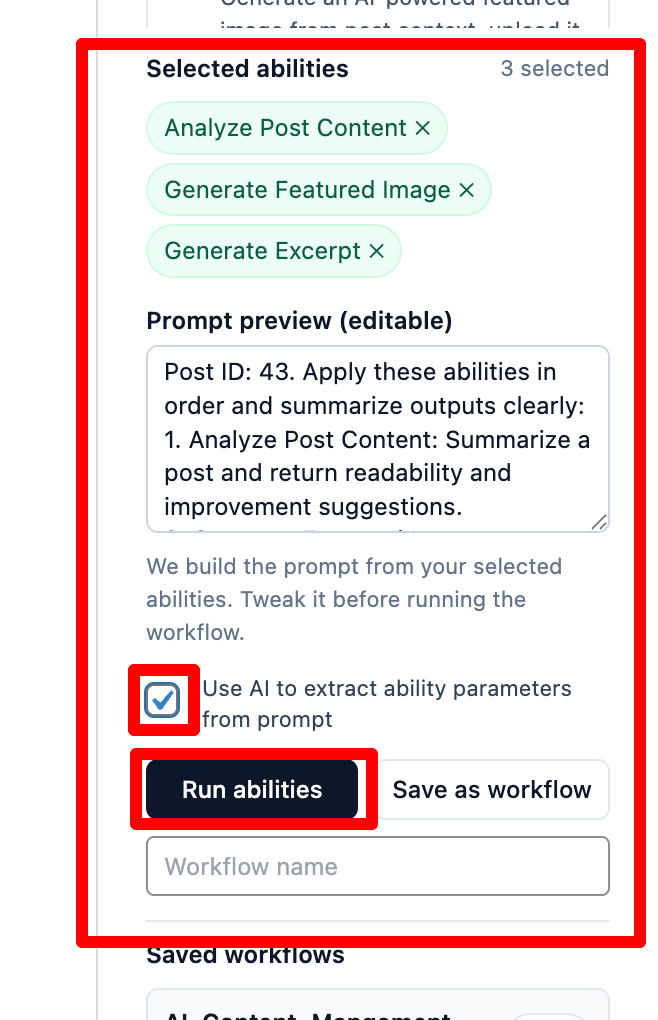
Now go to your edit post and on the right sidebar scroll down to the bottom.
Here you will find the saved workflows that you have created. Press the “load” button.
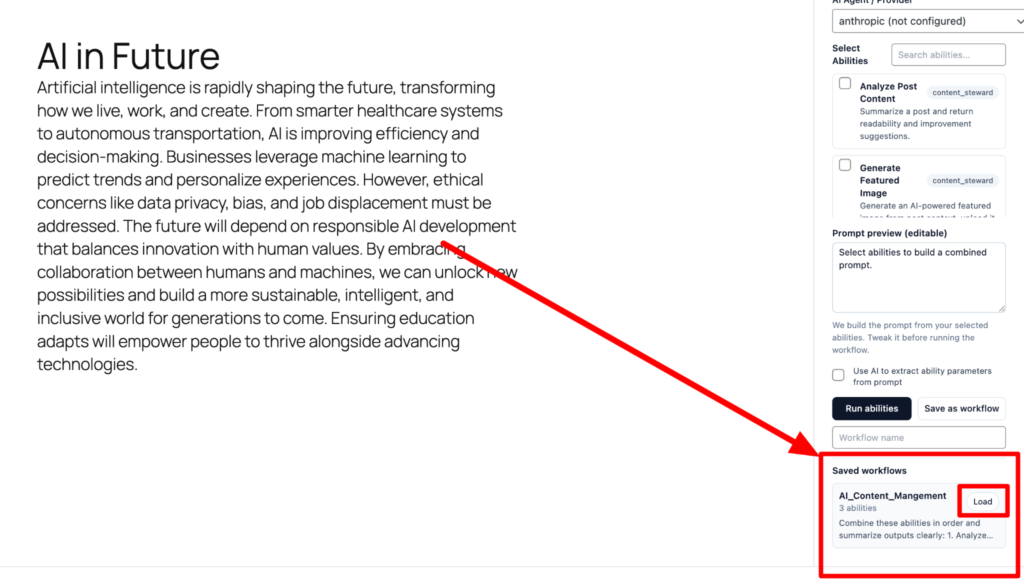
After pressing the “load” button you will see the saved workflows automatically generated for your post you didn’t have to manually do it. You can also preview the prompt.
Please make sure you turn on the checkbox. Because:
AI Parameter Resolution:
When running workflows from the post editor, enable “Use AI to extract ability parameters from prompt” to automatically extract required parameters from your natural language prompt.
For example, a prompt like “Add Category: zakat” will automatically extract name = zakat for the add-category ability.
Three-tier resolution: Explicit per-ability parameters (API) → AI extraction from prompt → Default fallback (post ID + provider).
Lastly press the run abilities button.